
Thikra Blog shares smart living tips, home gadget updates, and lifestyle technology insights tailored for UAE readers.
I’ve tried pretty much every major Linux distro out there, and I have my own list of distros I’d trust on most PCs. But gaming is a whole different category altogether. There are several distributions specifically designed for gaming, and they are structurally very different from each other.
I’ve spent time with all the most popular options, like SteamOS, Bazzite, and CachyOS. But in the end, CachyOS stood out the most for me, and I think it has the best overall experience I’ve had on Linux for gaming so far.
CachyOS brings the exact SteamOS experience to a different distro
I use Arch btw

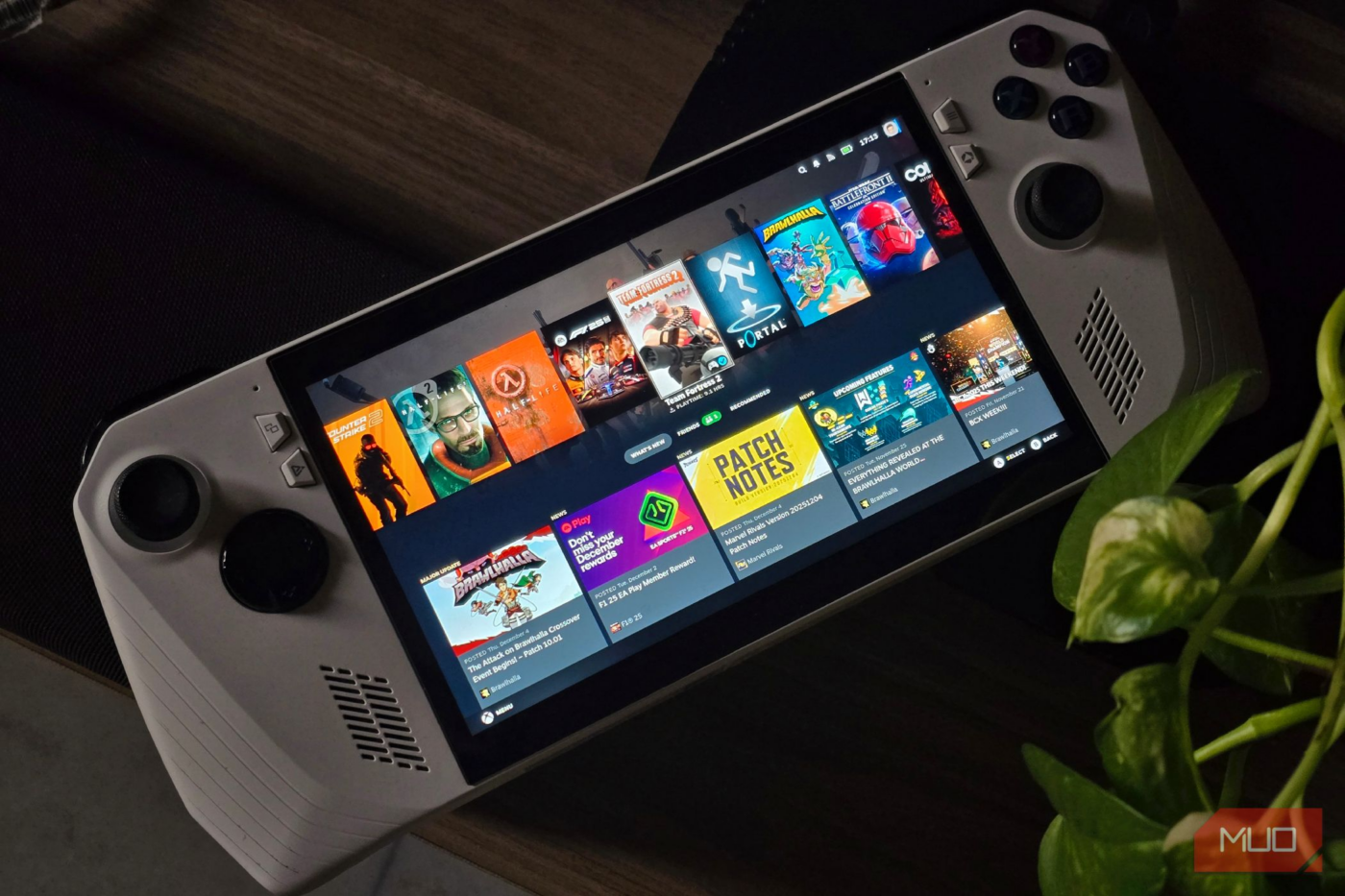
I use an ASUS ROG Ally as my main gaming device. And obviously, a normal desktop layout doesn’t make much sense on a handheld. Even when I hook it up to my monitor, I almost never use a keyboard and mouse. I stick to a controller, so having a proper console-like UI was my first criterion.
Just like Bazzite, CachyOS ships with the same SteamOS interface for its handheld builds, so it fits that requirement perfectly.
And if you have used a Steam Deck or any SteamOS system before, you already know how far ahead it is compared to trying to use Windows with a controller. Even the new Xbox handheld interface is half-baked at best.
I loved Bazzite at first because it was one of the first distros to ship with the SteamOS compositor, but I found the performance a bit lacking compared to other distros, and even Windows. That’s why I started looking for more options in the first place. And as I mentioned earlier, having the SteamOS compositor pre-installed was the first priority for me, so CachyOS was already on par with Bazzite for now.

My Linux system booted twice as fast after removing these pointless services
You can always remove more bloat.
It has the best gaming performance I’ve seen on Linux
Every frame matters when I am targeting 45FPS

The biggest thing that pushed me away from Bazzite was its performance. I started with vanilla SteamOS, and when I moved to Bazzite, I kept scoring lower framerates. It wasn’t a massive gap, but on a handheld, every single frame matters. I usually target 30 or 45FPS in demanding games, and even a small dip in that range is very noticeable visually.
Part of this might be because Bazzite is based on Fedora, which is a bit heavier than an Arch-based distro. Don’t get me wrong, I absolutely love Fedora, and even replaced Ubuntu with it on my laptop, but for a handheld, performance is everything in this form factor.
The bigger difference, though, comes from the CachyOS team, rather than some fault in Bazzite. CachyOS ships with kernels specifically tuned for your CPU architecture. Along with some scheduler tweaks as well, even the packages are compiled and optimized for your hardware rather than a one-glove-fits-all setup.
I did end up running the numbers myself across the most popular “gaming” Linux distros, along with Windows 11.
In some games, the difference was small enough that I wouldn’t even care. But in others, it was a pretty big drop. I couldn’t put my finger on a clear pattern for why certain titles performed noticeably worse, but I made sure everything was running at the same TDP, and using the exact same graphics settings.
I’m sure I could tweak Bazzite enough to match that performance, but let’s be honest. Do you really want to spend time tuning and troubleshooting a couch PC, even if you’re comfortable with Linux, when another distro already gives you that level of performance out of the box?
CachyOS and vanilla SteamOS deliver the best gaming performance I’ve seen on Linux. They’re basically neck and neck. But because SteamOS supports such limited hardware, CachyOS ends up taking the slight edge.
Sometimes, I don’t want an immutable operating system
Let me break things in peace

Bazzite and SteamOS are immutable distros. In simple terms, immutable systems lock down the core of the operating system so you can’t modify system files directly. It’s great for stability, but it is definitely restrictive if you want to go around tweaking things.
I have a very clear boundary for this stuff. I use Fedora Silverblue on my regular machines because I want the rock-solid stability that immutable distros bring. But my ROG Ally is the complete opposite. I also use it as a tinkering device, and I don’t care if I break the OS while messing around (which I haven’t managed to do yet).
If you’re anything like me, you’ll start running into headaches pretty quickly, especially when you try to tweak Bazzite’s performance as I talked about earlier.
In fact, this might sound a little controversial, but I don’t think immutability really fits a couch PC or a handheld. Ninety-nine percent of the time, you’re sitting inside the SteamOS compositor, launching Steam, and playing games. You’re not doing much else on a dedicated gaming distro, so there isn’t a lot that actually needs protecting.

Linux comes for Windows at 40 — and gaming can’t save it
Windows is 40 and its midlife milestone comes with a Linux-shaped crisis.
For me, it ultimately comes down to whether you game and work on the same machine. If you fall into that category, I’d honestly ditch CachyOS for Bazzite or SteamOS. In that scenario, I’d take immutability over tinkering any day because stability matters more than freedom to tweak.
But if you have a separate gaming device and want to squeeze every frame or just want to do whatever you want without any restrictions, CachyOS is the better choice.
Bazzite is not a bad distro by any means.
I would suggest giving both a try. On a high-end gaming PC, you might not even notice that much of a visual difference if you’re hitting frame rates above your monitor’s refresh rate. If you use your PC for things other than gaming, the immutability is a no-brainer to have, especially if you’re new to Linux.
But my use case is different. I want to squeeze every single frame possible and have the freedom to do whatever I want. In that context, CachyOS came out ahead for me.
source
Note: All product names, brands, and references in this post belong to their respective owners.
For more smart home guides, lifestyle tech updates, and UAE-focused recommendations, visit blog.thikra.co.
To shop smart gadgets, accessories, and lifestyle electronics, explore Thikra Store at thikra.co.








Leave a Comment