
A recent MuMu Player update has quietly messed up controller support for Destiny Rising Mobile, with one especially painful symptom: the L2/R2 (LT/RT) triggers just stop registering.
If you’re playing the NetEase shooter on PC through MuMu, that’s a big deal—those triggers are usually tied to aim / fire or ADS-style actions, and losing them turns fights into a clumsy remapping exercise.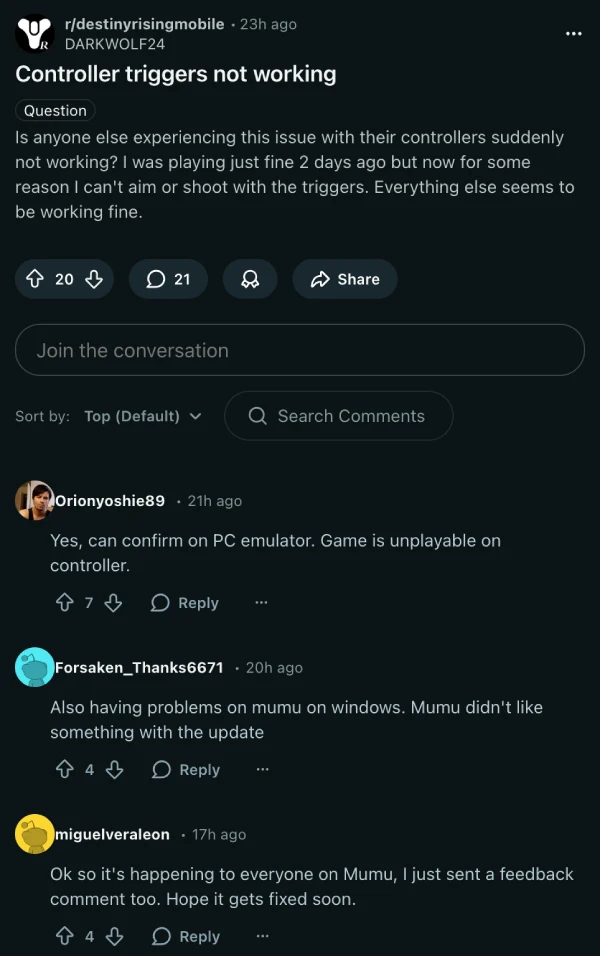
The good news is the community already has a workaround, and it’s oddly simple.
Reddit user allredditt posted a fix on r/destinyrisingmobile that essentially “resets” MuMu’s gamepad profile for Destiny Rising, then brings it back in a way that restores trigger behavior. And judging by the replies (plus multiple complaint threads across the Destiny Rising subreddits), it’s hitting plenty of players right now.
What it looks like on-screen: you’ll want Destiny Rising running in windowed mode, so MuMu’s thin top bar is visible. Up there, near the audio controls, MuMu shows a small controller icon — and for some people, it shows up as a keyboard instead, which is part of the confusion.
Here’s the quick fix, based on that Reddit post:
The file path allredditt points to is: C:Users<YourName>AppDataRoamingNeteaseMuMuplayerGlobaldatagamepadconfig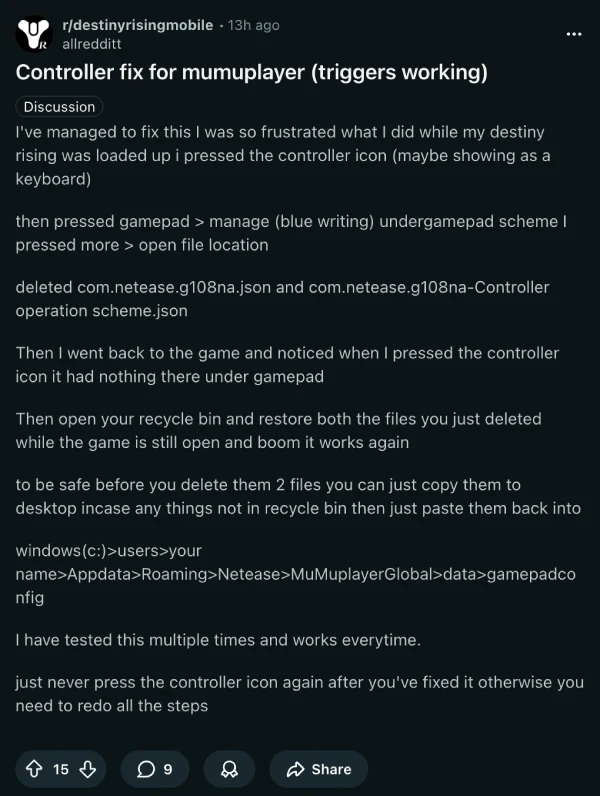
One extra warning from folks who’ve tested it repeatedly: after it’s fixed, try not to click that controller/keyboard icon again, because it can force you to redo the whole process.
Let’s hope NetEase or MuMu pushes a proper mapping fix soon (ideally without players spelunking through config folders). Until then, this Reddit workaround is the fastest path back to normal triggers.
My fascination with Android phones began the moment I got my hands on one. Since then, I’ve been on a journey to decode the ever-evolving tech landscape, fueled by a passion for both the “how” and the “why.” Since 2018, I’ve been crafting content that empowers users and demystifies the tech world. From in-depth how-to guides that unlock your phone’s potential to breaking news based on original research, I strive to make tech accessible and engaging.
PiunikaWeb.com is owned and operated by DeepSeaGem Technologies India. Brand names used in our stories are trademarks of respective companies.
To shop authentic smartphones, accessories, and power solutions, visit Thikra Store.


Leave a Comment