

Thikra Blog shares smart living tips, home gadget updates, and lifestyle technology insights tailored for UAE readers.
Audiophiles seek out lossless audio formats for their superior quality, but the reality is that most listeners stream in lossless simply because it’s included with their subscription. Apple Music uses ALAC for lossless streaming, while Amazon Music, Tidal, and Spotify use the FLAC format for lossless tracks. However, if you’re deciding whether to flip on the toggle beside lossless audio on your favorite streaming service, remember that better isn’t always better.
If sound quality is your only concern, the ALAC and FLAC formats are the gold standard for lossless audio. Sound quality isn’t the only characteristic of an audio format that makes it great, though. Efficiency and file size are other key factors to consider, and that’s why casual streamers should consider sticking with AAC. It uses far less storage space and streaming bandwidth than lossless formats while offering plenty of detail.
AAC files are small
The compact audio format saves on-device storage

AAC, which stands for Advanced Audio Coding, is a common lossy audio file format. It’s known for delivering high quality out of low bitrates and compact file sizes, and it’s a successor to the MP3 format. Apple Music, Spotify, YouTube Music, Tidal, and Deezer all use AAC in certain situations for its efficient file compression.
Spotify uses AAC in its web player and Ogg Vorbis in the app, while Tidal uses AAC only when a FLAC file is unavailable.
AAC is the better file format for daily use thanks to its small file sizes, which can be three to five times smaller than a typical song formatted in FLAC. The FLAC and ALAC formats both create large files that are often 50% to 60% the original size of the WAV file or CD used as a source. For example, Apple Music clearly explains that 10GB of space on an Android phone can store either 3,000 AAC files at 256kbps or 1,000 ALAC files at up to 24-bit/48kHz (typically 1100+kbps).
That drops to just 200 songs if users want to download their music in hi-res, lossless files up to 24-bit/192kHz (typically 9000+kbps). ALAC files are slightly larger than FLAC files on average, but these examples show just how much space you’ll need to make the switch from AAC to lossless for your entire music library. My library contains just over 5,000 ALAC-formatted tracks, and that accounts for 135GB of storage on my Android phones.
AAC streams efficiently
If you have a monthly data cap, avoid lossless
It’s easier to justify moving from AAC to lossless if you have the on-device storage space to download your entire library. In that case, you’re only downloading the music once, limiting your Wi-Fi and cellular data usage. Of course, that’s easier said than done — I only download my entire music library on phones with 512GB of onboard storage or greater.
If you’re streaming music for the most part, it’s even harder to live with lossless file formats. Instead of using your on-device storage, you’ll be straining your home Wi-Fi network or cellular data plan. If you have a fixed data cap or if you pay based on the amount of cellular data you use, avoid lossless formats entirely. They’ll cost you a fortune.
Using the Apple Music example, a three-minute song uses about 6MB of data in the AAC 256kbps format. The same three-minute song uses roughly six times the amount of data when formatted in ALAC up to 24-bit/48kHz. In the highest possible format, you could be using around 145MB of data to stream a single three-minute song, according to Apple.
If you’re streaming a lot of hi-res lossless audio, you might even reach the data cap on your home internet plan — forget your cellular plan. In these situations, AAC is the sensible option compared to lossless.
Lossless is pointless over Bluetooth
With a few exceptions, like LDAC and AptX Adaptive

Lossless quality is only helpful if you can hear the difference. If there’s a weak link in your music-listening setup, it could negate the benefits of using a lossless source file. The limiting factor might even be your own ears. Online audio tests like Digital Feed’s ABX Test can help you figure out whether you can hear the difference between lossy formats (like AAC) and lossless formats (like FLAC).
Try an audio test to see if AAC meets your personal definition of “high quality” before wasting storage space and data on a lossless format. CD-quality tracks, which are 16-bit/44kHz, cover the full range of human hearing. You might not need even that much quality, depending on your ear and what you consider distinguishable.
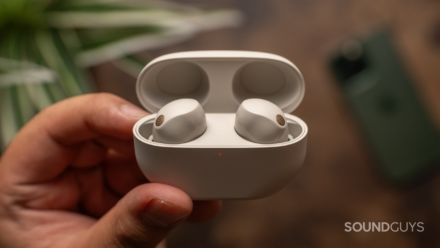
If you’re using standard Bluetooth codecs, a lossless file won’t be much help. Bluetooth is a lossy standard with a lot of compression, and it’ll limit how good your music sounds through wireless headphones and earbuds. In fact, switching to a hi-res Bluetooth codec like LDAC or aptX Adaptive while using AAC files will have a bigger sound quality impact than switching to lossless files over standard Bluetooth.

aptX vs. LDAC: What’s the Difference?
Want your music to sound better than ever? Choosing headphones, earbuds, or speakers with the best codec is where to start.
Use lossless only if you need it
For the masses, AAC is the superior format

If you’re an audiophile with lots of on-device storage space, unlimited data, and headphones that’ll make the most of a lossless audio format, upgrade from AAC. There’s no reason not to switch from AAC to ALAC or FLAC, because you’ll get enhanced sound quality with few drawbacks. Those planning to listen with wired headphones or IEMs with a USB DAC have even more of a reason to upgrade.
It’s easy to forget that the reverse is also true. If you plan to primarily listen to your music over standard Bluetooth audio codecs, there’s no reason to ditch AAC for a lossless format. The lossy Bluetooth compression will be the limiting factor in your streaming setup, and lossless files won’t meaningfully improve quality.
While it is technically “free” with certain music streaming plans, that doesn’t tell the whole story. Using lossless files for the sake of it wastes on-device storage space that could be used for other data types, like photos, videos, or apps. It’ll also put extra strain on your Wi-Fi network and could cause you to reach your cellular data usage thresholds sooner. Meanwhile, AAC 256kbps still sounds excellent to most listeners while being more compact and efficient.
source
Note: All product names, brands, and references in this post belong to their respective owners.
For more smart home guides, lifestyle tech updates, and UAE-focused recommendations, visit blog.thikra.co.
To shop smart gadgets, accessories, and lifestyle electronics, explore Thikra Store at thikra.co.




Leave a Comment