
Thikra Blog shares smart living tips, home gadget updates, and lifestyle technology insights tailored for UAE readers.
I don’t use Linux religiously, but I work with it regularly to revive older PCs with lightweight distributions and for personal hobby projects. It’s enough hands-on time to form real opinions about both operating systems.
In doing all this, I’ve realized how incredibly simple Windows makes certain things I’d always taken for granted. Some of this comes down to market dominance, but there are Windows features that Linux still struggles to match.
Windows is more beginner-friendly
Anybody can use a Windows computer

Windows is designed as a consumer product. You buy a laptop, turn it on, and everything works. The setup wizard walks you through creating an account, connecting to Wi-Fi, and you’re done. My mom can use a Windows PC without calling me for help every other day.
Some Linux distributions are actually easier to set up. But that’s where the simplicity ends. Even beginner-friendly distributions like Ubuntu or Linux Mint ask more of you once you’re past the installer. Troubleshooting a basic issue often means finding a tutorial that tells you to copy and paste commands into a terminal. For someone who just wants to browse the web and check emails, that’s overwhelming. On Windows, most problems can be solved by clicking through menus or running a built-in troubleshooter.
The support structure is different, too. Windows users can call Microsoft, walk into a repair shop, or ask any tech-savvy friend for help. Linux support is community-driven, which means searching through forums and hoping someone else had the same problem.
Better driver support
Rarely needs manual driver installation or configuration

On Windows, if you plug in a printer, a webcam, or a gaming mouse, it will work. Windows Update handles the driver installation in the background, and you don’t need to think about it.
Linux hardware support has improved a lot, but it’s still hit or miss. I’ve had Wi-Fi cards that needed manual driver installation or no support at all due to proprietary driver requirements, audio interfaces that refused to work properly without digging into PipeWire settings, and multi-monitor setups with mixed refresh rates that didn’t work out of the box. Even on gaming-focused distributions like Bazzite, I’ve seen Ethernet drivers crash mid-game, and microphones work in desktop apps but fail inside games.
To be fair, this isn’t really Linux’s fault. It comes down to manufacturer support. Companies like Nvidia, Logitech, and Razer build their drivers specifically for Windows, leaving Linux users to rely on community-maintained drivers or reverse-engineered solutions that don’t always match. But the end user doesn’t care whose fault it is. They just expect things to work, and that’s not guaranteed with Linux.
A bigger software library and a clean installation process
Apps are incredibly easy to install

Windows has all the software I need. Adobe Creative Cloud, Microsoft Office, Autodesk tools, and specialized apps for video editing, 3D modeling, and music production all run natively. GPU management tools like Nvidia GeForce Experience and AMD Adrenaline are Windows-first applications.
On Linux, you either find an open-source alternative that may not have the same features, or you try to run Windows software through compatibility layers like Wine. Sometimes it works perfectly. Other times, you spend hours troubleshooting only to give up.
Windows makes app installation simpler, too. You can use the Microsoft Store or download an .exe or .msi file, double-click it, and follow the wizard to install it. On Linux, you’re dealing with package managers, Flatpaks, AppImages, Snaps, and sometimes compiling from source. While these formats may solve distribution and sandboxing problems, anyone new to Linux will have to learn these different systems just to install basic software.
Centralized settings that make sense
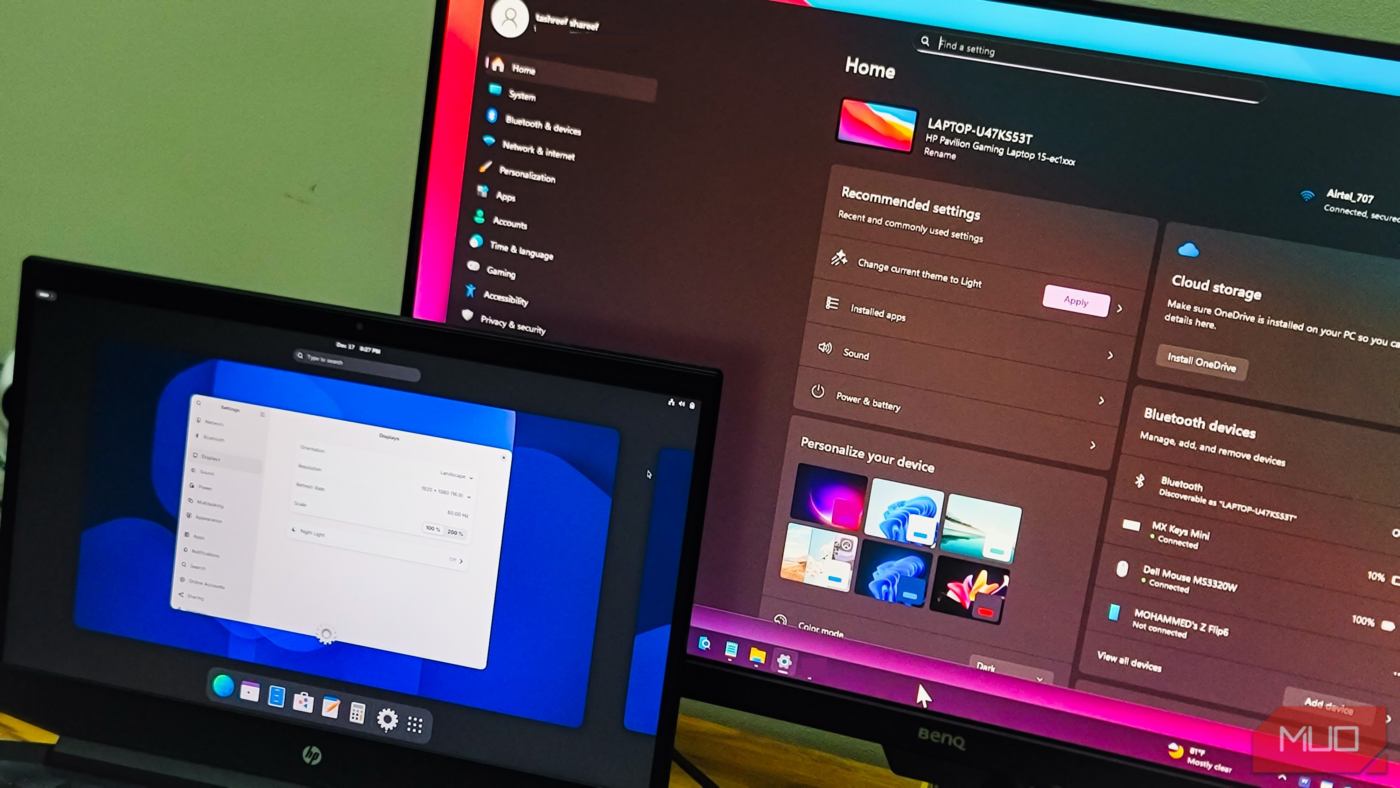
Windows certainly has a more decent Settings app

Linux doesn’t have a single Settings app. Each desktop environment—GNOME, KDE Plasma, XFCE—builds its own. If a setting isn’t in your desktop’s GUI, you edit configuration files in a text editor or use terminal commands.
I’ve used GNOME extensively, and simple things like adding minimize buttons to windows require installing extensions or running settings commands. KDE offers more options in its settings, but then you’re learning a completely different system.
Windows has its own frustrations with the Settings app, and the split between Settings and Control Panel is annoying. But at least everything is searchable from one place. Type what you’re looking for in the search bar, and you’ll usually find it. I don’t need to know which configuration file controls my display scaling or what command adjusts my power settings.
Gaming is still better on Windows
It’s cliché, but true. Gaming on Linux is too much work
Linux gaming has improved dramatically thanks to Steam’s Proton compatibility layer. Many single-player games run well. But for multiplayer games, the situation hasn’t changed much.
Call of Duty Warzone, Fortnite, Valorant, GTA Online, Destiny 2, Battlefield, Rainbow Six Siege, PUBG, and anything with kernel-level anti-cheat often don’t work on Linux, though this is increasingly a policy decision by publishers rather than a technical impossibility. While some anti-cheat solutions like EAC have added Proton support, many game developers choose not to enable Linux compatibility due to business or security concerns.
Even games that technically work can have problems. I’ve seen driver crashes during ranked matches, voice chat failing despite the hardware working in other apps, and random issues with no clear fix because the game wasn’t built with Linux in mind. When I want to play games with friends, I don’t want to troubleshoot. I want to click play and get into the match.
Sometimes you just want things to work
None of this means Linux is bad. It’s powerful, customizable, and perfect for servers, development, and reviving old hardware. I’ll keep using it for those purposes.
But coming from Windows, you expect certain things to just work. Plug in a device, and it works. Download an app, and install it. Open a game, and play it. I enjoy tinkering with hardware and building PCs, but when it comes to software, I just want to use it. Windows, for all its annoyances, still does that better for my daily use.
source
Note: All product names, brands, and references in this post belong to their respective owners.
For more smart home guides, lifestyle tech updates, and UAE-focused recommendations, visit blog.thikra.co.
To shop smart gadgets, accessories, and lifestyle electronics, explore Thikra Store at thikra.co.





Leave a Comment