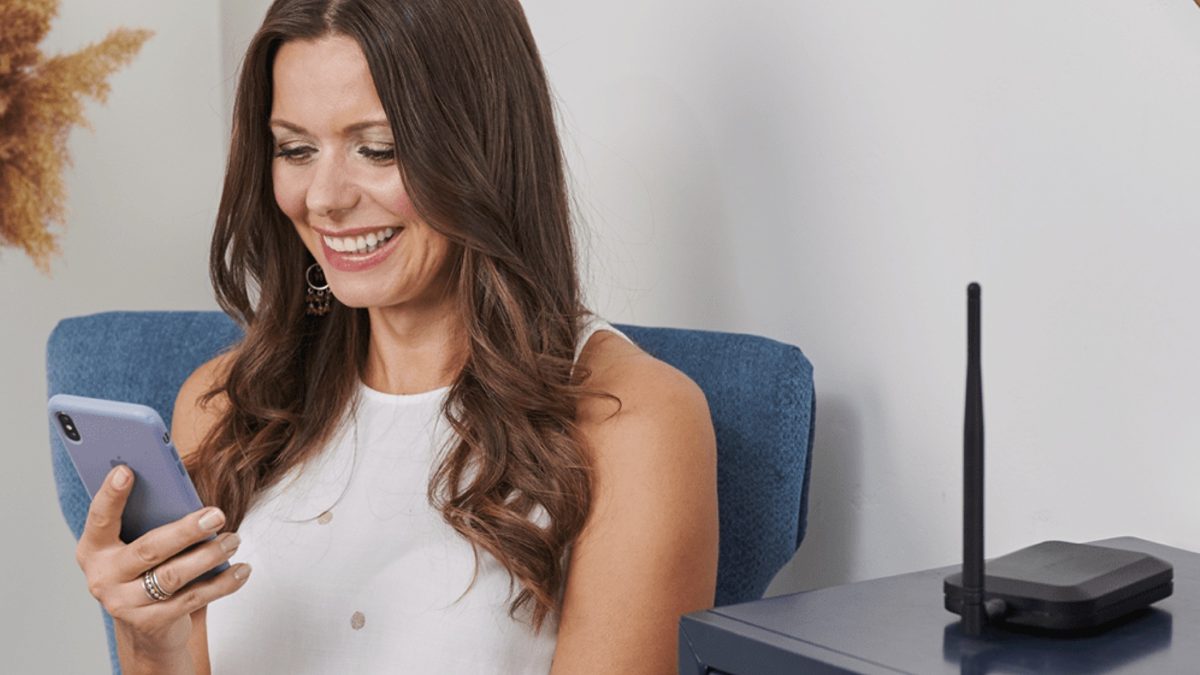

Cell phone boosters help improve a weak signal, whether you’re at home, in the office, or on the road, by amplifying the existing signal where you are. It can be somewhat intimidating to decipher all the technical differences between each model, so we’re here to help you find the best booster for your needs. PCMag has been covering the category for well over a decade. Among those we’ve tested, the SureCall Flare 3.0 earned our Editors’ Choice award for homes, thanks to its easy setup and reliable performance. However, one of the other selections on our list may be a better fit for you, depending on the size of your space and the level of boost you need. For more details to keep in mind while you shop, scroll down past our picks for a thorough buying guide.
The SureCall Flare 3.0 is an affordable option that supports AT&T, T-Mobile, and Verizon, and combines a directional outdoor antenna with an omnidirectional indoor antenna. That means you can adjust the outside antenna to achieve the strongest possible signal, place the inside antenna anywhere you want, and still maintain coverage. In our tests, it worked across three indoor rooms.
People with medium-sized homes: The Flare 3.0 boosts signals in spaces up to 3,500 square feet; however, this range may be limited by materials that block signals, such as metal or concrete. If you’ve got a small to medium-sized home, the Flare 3.0 should have you covered.
Do-it-yourselfers: The Flare 3.0 installs simply. With two main components and a few cables, you mount the directional antenna to a pole or a securely anchored roof spot, run the cable into the house, and plug it into the base. Ambitious homeowners can do the job on their own.
The HiBoost Sidekick is a two-piece booster designed to enhance 4G and 5G reception in smaller homes and apartments. We like its low price, and its understated design means it can blend into most homes’ decor. The installation process is somewhat tedious, but HiBoost includes all of the necessary mounting hardware and a comprehensive guide that expertly explains each step. Most importantly, we found it provided a good in-home boost.
People with small homes or offices: If your space is under 2,000 square feet, a single HiBoost Sidekick can cover the entire area; however, the actual reach depends on the outside signal strength. For example, a weak two-bar signal might only translate to roughly 500 square feet of improved indoor coverage, whereas a strong five-bar signal allows the booster to reach its full coverage range.
Multi-carrier locations: The HiBoost Sidekick is a top choice for homes or offices where people connect through different carriers. It supports AT&T, T-Mobile, Verizon, and the MVNOs that run on those networks.
The Cel-Fi Go G32 can achieve 100dB of signal improvement by boosting the frequencies of only one carrier at a time. Cel-Fi also offers boosters that can support all three major carriers, but they are much more expensive, at almost five times the cost. The Cel-Fi Go G32 is a good combination of price and coverage
People on the go: The Cel-Fi Go offers 100dB of gain in stationary applications, but it can also boost signals up to 70dB in mobile use. This booster is designed for both indoor and outdoor use, so if you need a booster that can accompany you wherever you go, the Cel-Fi Go is your best choice.
People looking to cover a large area: This booster covers up to 15,000 square feet, which is roughly a third of an acre or three NBA basketball courts. Additionally, this system can be expanded with additional antennas to provide coverage to specific areas within a larger region.
Most consumer signal boosters cover a few thousand square feet at most, but the HiBoost 15K Smart Link covers several times that amount. HiBoost’s devices also feature a unique and cool design: LCDs on the front that display signal strength for each of the bands they cover. You’ll likely want to use a splitter and additional panel antennas for a large home installation—one panel won’t suffice for a 15,000-square-foot space.
Small business owners: The HiBoost 15K Smart Link enhances signals from AT&T, T-Mobile, and Verizon, allowing you to provide your customers with better coverage, regardless of their carrier. This eliminates dead zones, resulting in fewer dropped connections.
Rural residences: The HiBoost 15K Smart Link is a great solution for remote homes and properties with weak outdoor signals. This booster produces 70dB gain to capture faint signals and amplify them for you.
RV boosters are a sort of hybrid between car boosters and in-home boosters. SureCall’s Fusion2Go 3.0 RV, for instance, utilizes an omnidirectional outdoor antenna—ideal because your RV is always in motion—and offers two antenna options inside. It works with Verizon, AT&T, and T-Mobile, so you can pick it up no matter which carrier you prefer.
Digital nomads: The SureCall Fusion2Go 3.0 RV is an excellent solution for mobile users who depend on cellular data for remote work and streaming while traveling or parked. This booster’s 2XP technology ensures your phone stays connected, even in areas with a weak signal.
The weBoost Installed Home Complete solution provides the same 72dB of signal improvement as most other boosters, but with the guarantee of absolutely optimal indoor and antenna placement—after all, WeBoost installs everything for you.
People unsure of their skills: If the prospect of DIY work scares you, weBoost’s professional installation package may be worth the investment. Once installed, this booster covers up to 7,500 square feet.
People seeking maximum gain: You can install many boosters yourself, but a professional installer will optimize antenna placement, cable runs, and system tuning to deliver the best possible signal. A professional will also measure signal levels and select the optimal outdoor antenna location to ensure you get the best possible boost.
Booster manufacturers must use various techniques to detect the strongest signal from surrounding towers and amplify it without interfering with the carriers’ systems. That’s why you must stick with boosters primarily from the big four companies: Cel-Fi, HiBoost, SureCall, and weBoost. Cheaper boosters available on Amazon are often not FCC-certified, which means they can cause interference with surrounding cell sites and networks.
Boosters help the most when you have a weak signal, not when there’s none at all. Whereas your phone shows bars, wireless industry folks measure signal in -dBm. A number higher than approximately -90dBm (such as -80 or -70) is considered a strong signal. Anything below -110 dBm is definitely weak, and you may not be able to hold onto any signal below -120 dBm. Services like CellMapper can show you the signal you’re receiving on your phone.
If you’re hesitant to invest in a home booster and primarily need coverage for making phone calls, consider trying Wi-Fi calling. All of the major carriers support this feature, and you can often get better call performance over your home’s Wi-Fi connection.
The basic principle behind signal boosters is simple: a larger antenna is more effective than a smaller one. Instead of relying on the tiny antenna in your phone, boosters capture a cellular signal using a large antenna in your window or outside your home (or car), pass that signal through a device that cleans and amplifies it, and send it out through a rebroadcaster inside your home.
Boosters generally have three main components: an external antenna that sits outside your home, a booster that cleans and amplifies the signal, and an antenna you keep inside. A coaxial cable connects them all.
Some products combine the booster and indoor antenna in a single unit, making them easier to install and position. But if you own a larger home and are willing to run some coax cable, you can significantly extend the booster’s range with some splitters and several panel antennas. This can get complicated, so at this point, you might want to get a professional installer to set the system up (especially to reduce interference between multiple in-home antennas).
Most boosters handle bands 2, 4, 5, 12, 13, 17, and 66, which include the base coverage bands for AT&T, T-Mobile, and Verizon. Most home boosters also boost the signal by between 64 and 71 dB. Once again, that’s due to FCC regulations. If you need more of a boost than that, you should consider upgrading to Cel-Fi’s single-carrier booster line, which can achieve 100dB by boosting only the frequencies from a single wireless carrier at a time.
The booster store Waveform has a comprehensive guide to how boosters work on its site.
Boosters for your car are similar to in-home boosters, with one exception: You can only get single-device, in-car cradle boosters. These are much less powerful than in-home boosters (the ones we tested boost by 23dB instead of between 65 and 75dB), but are less expensive, take seconds to install and remove, and don’t radiate beyond the cradle that grips your phone.
RV owners and individuals who need to boost multiple devices in a vehicle can opt for in-car boosters featuring small, radiating antennas that support multiple devices. These can be tricky, though, because the output antenna is so close to the input antenna.
You can install all retail cellular boosters by yourself without any drilling, although ideally, you should hide the cables against your baseboards. You also need to find the optimal antenna position outside your home.
Currently, only weBoost offers an option that lets you lean on a professional installer to handle the tricky bits, such as installing the antenna on your roof and orienting it properly. It sells a specific product, the $1,499.99 Home Complete Installed, which includes the installation fee. If you prefer to set up the system yourself, the standalone Home Complete booster is available for $999.99.
Cellular boosters generally can’t boost the “good parts” of 5G networks. AT&T and Verizon carry some 5G on the old cellular bands 2 and 5. Boosters handle that, so a booster may summon you a 5G icon, but that signal doesn’t give you an experience that’s much different from 4G. The fastest 5G networks for AT&T, T-Mobile, and Verizon are currently on bands n41, n77, n260, and n261; however, no consumer boosters reliably support those bands.
There is a sneaky way around this. Although no powered boosters are compatible with these bands, passive antennas can still enhance the signal. They may only provide you with 10dB to 20dB of gain instead of 70dB, but that’s not insignificant (and even the fact that the antenna is outside can help).
If you are willing to take on a bit of an installation project, the Waveform’s Griddy parabolic antenna and MIMO panel antennas improve signal on the 5G band n77. Connecting an outdoor cellular antenna to a Wi-Fi hotspot with a TS9 connector, such as the Netgear Nighthawk M7 Pro, can also turn an outdoor cell signal into an indoor Wi-Fi signal.
Cellular signals aren’t the only ones that can benefit from a boost. Check out these quick tips to improve the wireless signal from your router, extend and optimize your Wi-Fi coverage, and boost your internet speed. You can also go right to our roundups of the best range extenders.
Read Our Editorial Mission Statement and Testing Methodologies.
My Experience
I’ve been into technology for as long as I can remember. As a PCMag mobile writer, I get to test the newest phones and tablets. Since you rely on our buying advice, I make sure you get everything a manufacturer claims, which means lots of testing. This is your phone we’re talking about; it’s like a part of you. I’ve covered technology as a career for around two decades (yikes, I had to think about that). You’ve seen my work at The Apple Blog, PCMag (from my first go around), This Week in Tech, and CNET. I also occasionally produce independent video projects, including This Old Nerd, a how-to series that shows practical ways to get the most from your tech.
The Technology I Use
I use a 2023 M3 MacBook Pro customized with lots of keyboard shortcuts thanks to Raycast. Pixelmator Pro is my go-to photo editing application because there is no subscription, and I’m trapped with Evernote because I’ve used it forever.
I’m between phones at the moment, but I use a Samsung Galaxy Z Fold 7 now, and used a Z Fold 6 before that. Considering that I like to have multiple windows open at once, the large inner screen of folding phones can show a baseball game on the top while I keep a chat app and Reddit open beneath. I do miss being able to write on the Z Fold 7’s screen, though, which has me eyeing a Galaxy S25 Ultra.
My home is semi-smart, with many Google Home products that I thoroughly enjoyed in the pre-Gemini days. Be warned: smart bulbs are a gateway drug into smart home life.
I’ve been into technology for as long as I can remember. As a PCMag mobile writer, I get to test the newest phones and tablets. Since you rely on our buying advice, I make sure you get everything a manufacturer claims, which means lots of testing. This is your phone we’re talking about; it’s like a part of you. I’ve covered technology as a career for around two decades (yikes, I had to think about that). You’ve seen my work at The Apple Blog, PCMag (from my first go around), This Week in Tech, and CNET. I also occasionally produce independent video projects, including This Old Nerd, a how-to series that shows practical ways to get the most from your tech.
I use a 2023 M3 MacBook Pro customized with lots of keyboard shortcuts thanks to Raycast. Pixelmator Pro is my go-to photo editing application because there is no subscription, and I’m trapped with Evernote because I’ve used it forever.
I’m between phones at the moment, but I use a Samsung Galaxy Z Fold 7 now, and used a Z Fold 6 before that. Considering that I like to have multiple windows open at once, the large inner screen of folding phones can show a baseball game on the top while I keep a chat app and Reddit open beneath. I do miss being able to write on the Z Fold 7’s screen, though, which has me eyeing a Galaxy S25 Ultra.
My home is semi-smart, with many Google Home products that I thoroughly enjoyed in the pre-Gemini days. Be warned: smart bulbs are a gateway drug into smart home life.
Read full bio
My Experience
I’m a mobile writer at PCMag, which means I cover wireless phones, plans, tablets, ereaders, and a whole lot more. I’ve written countless reviews and have appeared in numerous videos discussing the latest technology. I’ve always loved it and have been forming opinions on consumer electronics since childhood. Prior to joining PCMag, I covered TVs and home entertainment at CNET, served as the tech and electronics reviews fellow at Insider, and began my career by writing laptop reviews as an intern at Tom’s Hardware. I am also a professional actor with credits in film, television, and theater, and membership in both SAG-AFTRA and Actors’ Equity Association.
The Technology I Use
I’ve been an Apple fan for a long time. I use an iPhone 14 Pro, and I don’t plan to upgrade any time soon. I like to hold on to my phones for a few years. Maybe I’ll upgrade if Apple sells a flip phone.
I use two different Apple computers in my daily life. I recently bought a maxed-out 15-inch MacBook Air for work and other activities. Despite my brand-new computer, I can’t quit using my 2012 MacBook Pro. It still works flawlessly and houses my large collection of ebooks. When traveling, I often use my 10.5-inch iPad Pro and Logitech keyboard case for streaming television and light internet use.
But my favorite piece of tech is my Kindle Paperwhite. I use it every day and it comes with me wherever I go. I read both physical and digital books, but the Paperwhite is currently my favorite ereader.
I’m a mobile writer at PCMag, which means I cover wireless phones, plans, tablets, ereaders, and a whole lot more. I’ve written countless reviews and have appeared in numerous videos discussing the latest technology. I’ve always loved it and have been forming opinions on consumer electronics since childhood. Prior to joining PCMag, I covered TVs and home entertainment at CNET, served as the tech and electronics reviews fellow at Insider, and began my career by writing laptop reviews as an intern at Tom’s Hardware. I am also a professional actor with credits in film, television, and theater, and membership in both SAG-AFTRA and Actors’ Equity Association.
I’ve been an Apple fan for a long time. I use an iPhone 14 Pro, and I don’t plan to upgrade any time soon. I like to hold on to my phones for a few years. Maybe I’ll upgrade if Apple sells a flip phone.
I use two different Apple computers in my daily life. I recently bought a maxed-out 15-inch MacBook Air for work and other activities. Despite my brand-new computer, I can’t quit using my 2012 MacBook Pro. It still works flawlessly and houses my large collection of ebooks. When traveling, I often use my 10.5-inch iPad Pro and Logitech keyboard case for streaming television and light internet use.
But my favorite piece of tech is my Kindle Paperwhite. I use it every day and it comes with me wherever I go. I read both physical and digital books, but the Paperwhite is currently my favorite ereader.
Read full bio
is obsessed with culture and tech, offering smart, spirited coverage of the products and innovations that shape our connected lives and the digital trends that keep us talking.
To shop authentic smartphones, accessories, and power solutions, visit Thikra Store.

Leave a Comment