
Thikra Blog shares smart living tips, home gadget updates, and lifestyle technology insights tailored for UAE readers.
Smart home devices are only as useful as their ability to detect what’s happening around them. I spent years just using voice commands — treating expensive gear like glorified clap-on lights. After fixing my smart home connectivity issues with hub-based systems, I realized sensors and automation triggers were the missing piece.
These are my seven favorite devices that I use to trigger automations throughout the house — security stuff, lighting, garage monitoring — and I paid less than $50 for most of them. After I unified everything under one app, things just started clicking. My house actually reacts to what’s happening now instead of waiting for me to bark commands at Alexa.
The automation trigger disguised as a security device

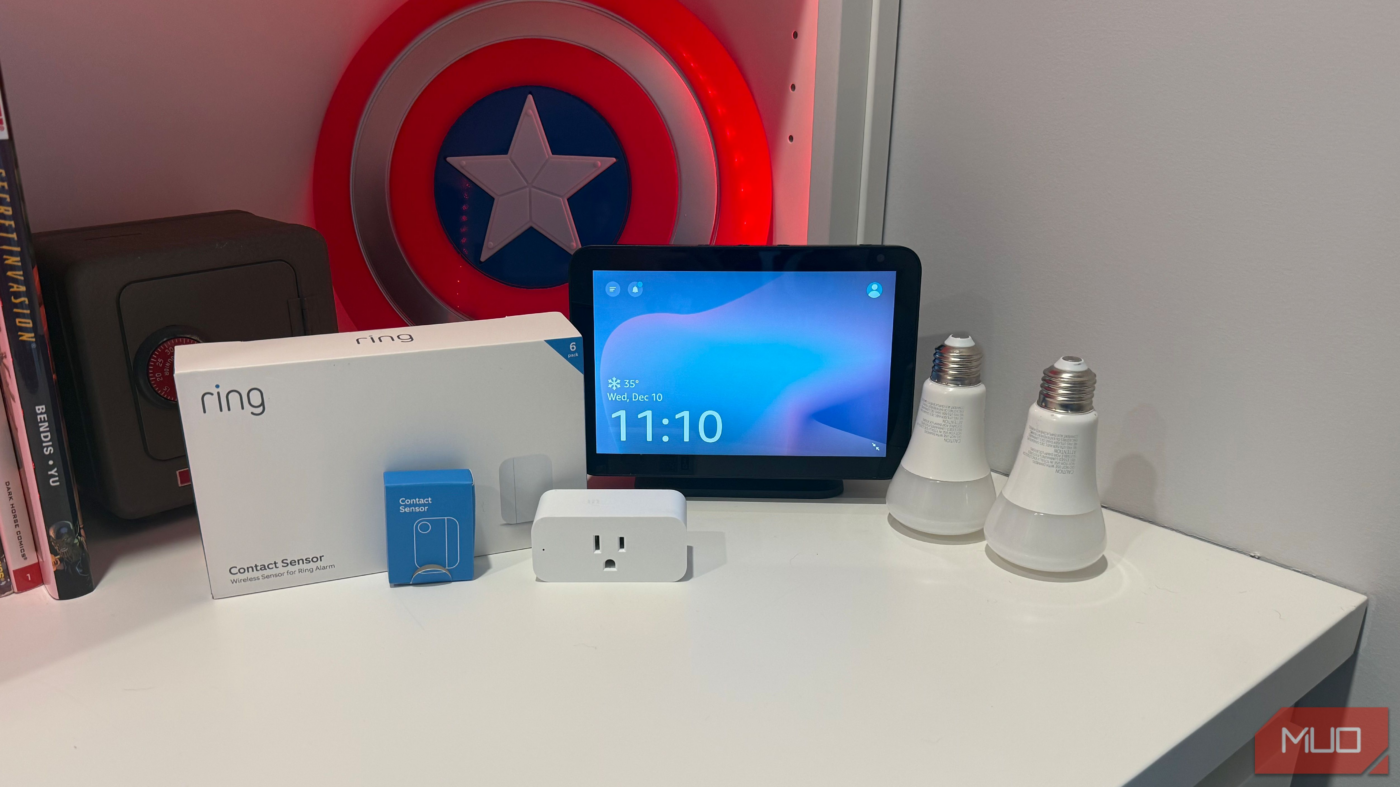
Most people buy the Ring Alarm Contact Sensor for security, and it works great for that. But at around $11 each, these are also some of the cheapest automation triggers available.
I stuck one on the door between our garage and mudroom. Now, when you open the door with a bag of groceries and car keys in your hand, you don’t have to fumble for the light switch — it comes on automatically. The Alexa routine I set up turns the lights off after five minutes.
The batteries have held up way longer than I expected — I put these in back in 2022 and still haven’t swapped one out. If you’re already in the Ring ecosystem, adding these sensors takes no time at all. They’re one of the best smart devices under $20 I’ve found.
ThirdReality garage door tilt sensor
Finally knowing if the garage is open without getting up

I love my myQ garage door openers — they work fine on their own. However, getting them to integrate with Alexa for automations is nearly impossible.
The ThirdReality Zigbee Smart Garage Door Tilt Sensor solved this for $20. You stick it right on the garage door panel, and it senses the door’s position based on the tilt angle. When you open either of my overhead doors, the ceiling lights kick on via an automation. When the door closes, they shut off after five minutes.
The installation took me just a few minutes for each door. Since it runs on Zigbee, you need a hub that supports it. My newer Echo devices have Zigbee built in, so that worked for me. I also have a bedtime routine that pings me if either garage door is still up. I couldn’t tell you how many times that’s kept me from waking up to a wide-open garage.
Ring Floodlight camera
Motion detection that triggers cascading security lights

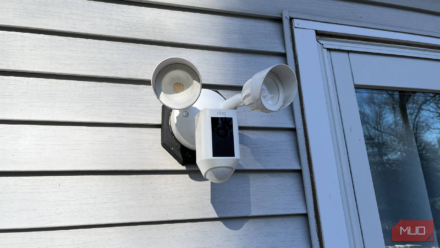
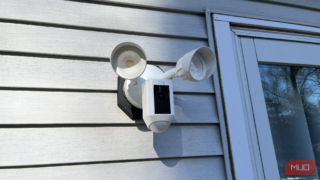
My driveway camera pulls double duty: security footage and an automation trigger. When something triggers the Ring Floodlight Camera after dark, the floodlight kicks on immediately. I built in a 20-second delay before the garage lights follow, then another 20 seconds before the porch lights turn on too.
I set up this staggered timing for a good reason. If every light flipped on simultaneously, someone watching could realize it’s automated and do nefarious things. Sequential lighting looks like someone noticed the outdoor motion and started walking, moving around the house while turning on the lights as they check things out. I set up several smart automations, and this cascading light trick is one of my favorites.
Person detection means I’m not getting false alerts from every car that drives by. If nothing moves for 15 minutes, all those lights go back off. I’ll tell you, though — pulling into the driveway and having the house already lit up is way nicer than fumbling for switches in the dark.
Amazon Basics smart plug
A power monitor that saved hundreds in spoiled groceries

At around $7.50 each (a two-pack runs about $15), I’ve got Amazon Basics Smart Plugs scattered throughout the house. The unexpected sensor use came from our garage fridge.
The fridge sits on a GFCI outlet that kept tripping for no apparent reason. We’d only realize when we’d go grab something and notice the fridge light wouldn’t turn on. We couldn’t find a pattern—just random GFCI tripping. So I plugged a smart plug into the open outlet below the fridge plug. If the smart plug showed offline in the Alexa app, I knew the GFCI tripped, and the refrigerator had no power.
This monitoring trick likely saved us $300–$500 in spoiled groceries while waiting for an electrician to replace the failing outlet. It was a band-aid fix that worked perfectly. The smart plug really is the most useful smart home device I own — I use it to check if the iron or space heater is still running from anywhere.
Intermatic ABRA surface switch
Physical buttons that trigger any automation
Smart bulbs have this one really frustrating flaw. Somebody flips the wall switch out of habit, the bulbs lose power, and suddenly nothing responds. Voice commands fail, your automations are dead, and you’re waiting around hoping everything reconnects on its own. I solved my smart bulb issues with the Intermatic ABRA Surface Switch, which mounts directly over existing switches and keeps them permanently “on.”
The dual buttons give you six programmable actions: single click, double click, and long press on both top and bottom. In my bonus room, the top single click turns the lights on, the double click maxes the brightness, and a long press switches everything to white. The bottom single click turns off, double click dims, and a long press switches to blue for when the kids want to pretend they’re underwater.
The response time is nearly instant. My family adapted immediately because it feels like a normal light switch with bonus features. For $49.99, you get the surface switch plus a combo Bluetooth gateway and smart plug. I had it mounted in about ten minutes using the screws they include. You don’t need to call an electrician or mess with any wiring.
Ring Indoor Cam
Interior motion triggers on a budget

At $25, the Ring Indoor Cam stretches slightly past budget territory but delivers serious value. I use one to check on our dog during work hours, and another triggers the living room lights when motion is detected after sunset.
The person detection feature reduces false alerts when configured properly. The camera used to cost twice as much, so the current price point makes it a pretty ridiculous value. Since I’m already running Ring and Alexa routines everywhere, getting this camera into my automations took about five minutes. The two-way audio gets more use than I thought it would. When the dog starts barking at absolutely nothing, I can talk to her through the app instead of getting up.
myQ Smart Garage Video Keypad
Motion and person detection with PIN access
The myQ Smart Garage Video Keypad packs a 1080p camera with a 160-degree field of view, capturing my full driveway. This $40 keypad upgrade wasn’t expensive, and the motion detection alone earned it a spot here.
The person detection distinguishes between people and passing cars, so my phone isn’t blowing up with alerts all day. Motion notifications include a thumbnail preview — I can see who’s there without opening the app. Night vision works better than I expected. You can see clear faces and license plates even at 2 AM.
The 30-day video history has already paid for itself. I lost a package a few weeks back, pulled up the footage, and found the delivery driver had placed it in a bucket just inside the garage. I’d walked past it a handful of times. I grabbed the wired power adapter kit for another $40, so I never have to think about charging the battery.
Pick your biggest annoyance and automate that first
The difference between a “smart” home and one that actually feels smart comes down to sensors and triggers. You stop telling devices what to do, and they just respond to what’s happening. I’d stick with Zigbee or Z-Wave devices when you can — Wi-Fi-only gear gave me nothing but connection problems. Pick whatever annoys you most and fix that first. Maybe it’s the garage door you can never remember closing, or the lights you leave on all the time. Get a couple of triggers working reliably, then start automating your smart bulbs properly and building out from there.
source
Note: All product names, brands, and references in this post belong to their respective owners.
For more smart home guides, lifestyle tech updates, and UAE-focused recommendations, visit blog.thikra.co.
To shop smart gadgets, accessories, and lifestyle electronics, explore Thikra Store at thikra.co.







Leave a Comment