
Thikra Blog shares smart living tips, home gadget updates, and lifestyle technology insights tailored for UAE readers.
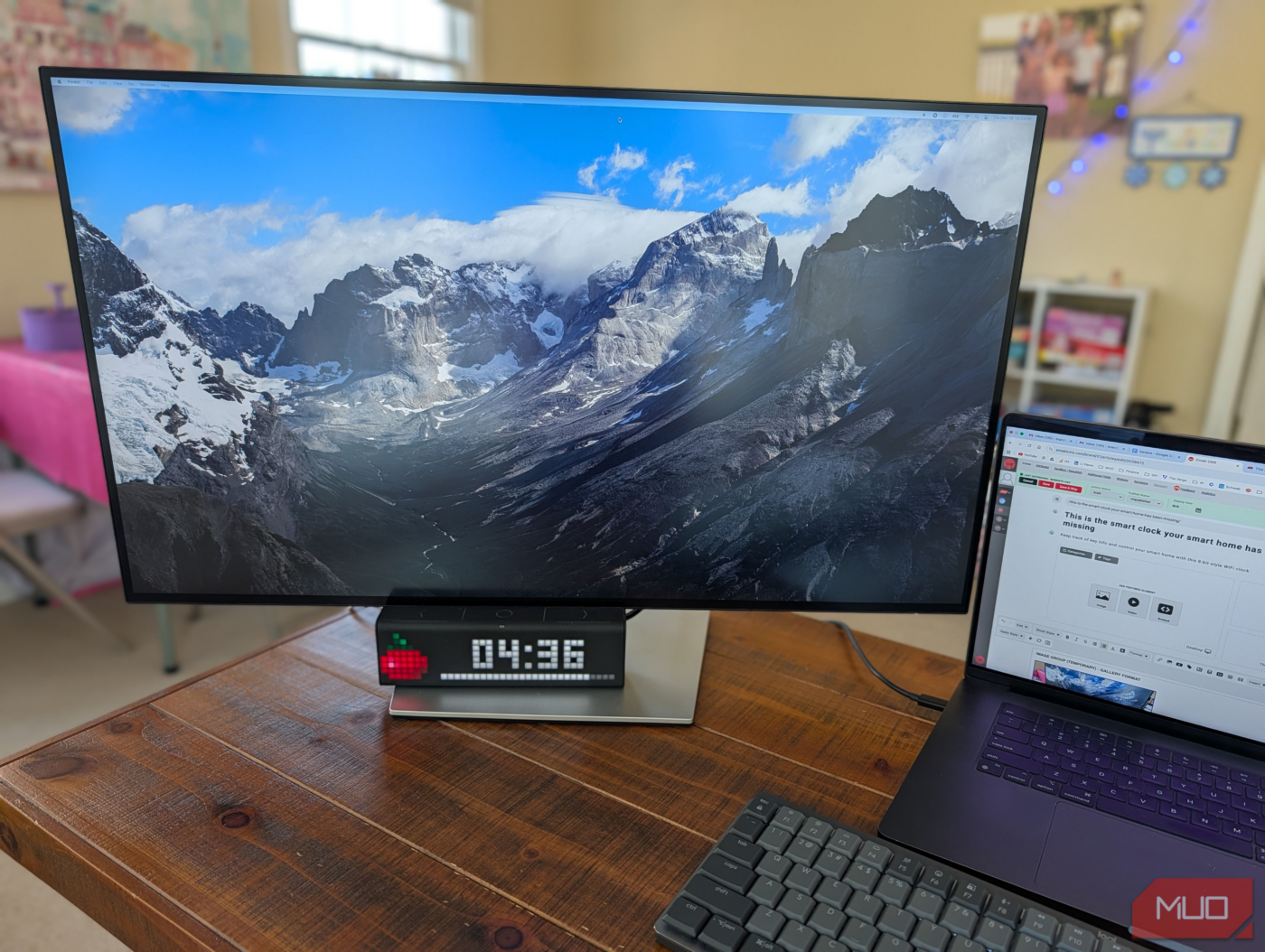
I have the coolest little gadget that sits on my desk. It can do a lot. It’s an 8-bit style digital Wi-Fi clock (with a retro 37×8 pixel resolution) that you can customize to do a lot of things, including control your smart home (with IFTTT, Alexa, and Google Assistant integration), plus it can display up-to-date info such as stock prices, social media following counts, your next calendar appointment, and much more. It even has a built-in speaker for alarms and notifications, three physical buttons, and mini apps, like a Pomodoro timer and message board. If you’re looking for a unique addition to your desk that is so much more than just a clock, the LaMetric TIME is the beautiful, smart clock you didn’t know you needed, and it can be tweaked to work the way you do.

These 8 Samsung Routines Make My Phone Easier to Use
I’ll never use another phone while these routines are around.
It’s a real-time dashboard
Live data on your desk to track anything
The LaMetric TIME is the ultimate smart clock if you like glanceable info. You can have it set up to show you pretty much anything: crypto prices, stock prices, sunrise/sunset times, countdowns, sport scores, social media follower counts, reminders, sit/stand timer, weather, unread email counts, Slack notifications, air quality, moon phase, video view tracker, and so much more. There’s a marketplace within the LaMetric TIME app that lets you explore dozens of mini apps for displaying on your smart clock. All of the apps are neatly categorized into sections like productivity, social, and smart home, and all of the apps are free.
The market has dozens of apps
Much to explore
With the iOS or Android app, you can have up to nine apps at the same time, which will auto-scroll every few seconds, or you can pick one persistent app that stays on the screen. In addition, there are a bunch of interactive apps like a Pomodoro timer, an FM radio, and more. The interactive apps use the select button on top of the smart clock, which is flanked by right and left arrows to let you move between apps or features. These buttons also let you trigger specific smart home events, such as turning on Philips Hue scenes, right from the clock itself. You can even set up the LaMetric TIME to show notifications from your phone if you’re within Bluetooth range.
Control Your Smart Home
Integrates with Hue, LIFX, Alexa, and IFTTT
You can do a lot with the TIME when it comes to home automation. First and foremost, you can connect to Google Assistant or Alexa so that you can remotely control the display itself, like “Alexa, show the chance of rain on the TIME” or “Alexa, show the stock price of Apple on the TIME”, etc. There are even apps specific to certain smart home platforms, such as a controller for Philips Hue, so that you can use the buttons on the TIME to toggle Hue scenes and turn lights on and off. There’s also an app to control LIFX bulbs. If you use Netatmo smart home products to monitor your home, you can have that data show up on the TIME. Also, if you use Sonos devices, the TIME can show you what’s playing on your system. There are a ton of integrations, all of which you can find within the LaMetric TIME app.
In addition, there’s full IFTTT support, which opens up a world of possibilities. To give a few examples:
- IF rain is expected tomorrow, get a notification on TIME
- IF a Google Calendar event is starting, display on TIME
- IF Ring doorbell is pressed, display “Doorbell” on TIME
- IF garage door (via MyQ) is left open after X time, show an alert on TIME
- IF motion is detected on Arlo camera, display an alert on TIME
But given its IFTTT, there are plenty more integrations.
The LaMetric TIME is a beautiful, functional smart clock
But it’s not cheap
I absolutely love having the TIME. I like how it’s a simple, low-resolution screen that can display anything that I want to keep an eye on, like my latest Google calendar appointment or the price of Bitcoin. It’s a great tool for influencers or for people with social media accounts — you can keep a constant tab on how many followers you have across most social platforms. And the smart home integration is super cool, especially if you have a Ring doorbell, smart lights, or security cameras — you can set up IFTTT to display notifications on the TIME based on various input states. It’s also super cool that you can use Alexa to change the contents of the TIME without having to touch it.
What’s the downside? It’s not cheap at $179 on Amazon. But if you’re looking for a very unique and highly functional smart clock for your smart home or office, the LaMetric TIME is awesome.
source
Note: All product names, brands, and references in this post belong to their respective owners.
For more smart home guides, lifestyle tech updates, and UAE-focused recommendations, visit blog.thikra.co.
To shop smart gadgets, accessories, and lifestyle electronics, explore Thikra Store at thikra.co.






Leave a Comment