
Thikra Blog shares smart living tips, home gadget updates, and lifestyle technology insights tailored for UAE readers.
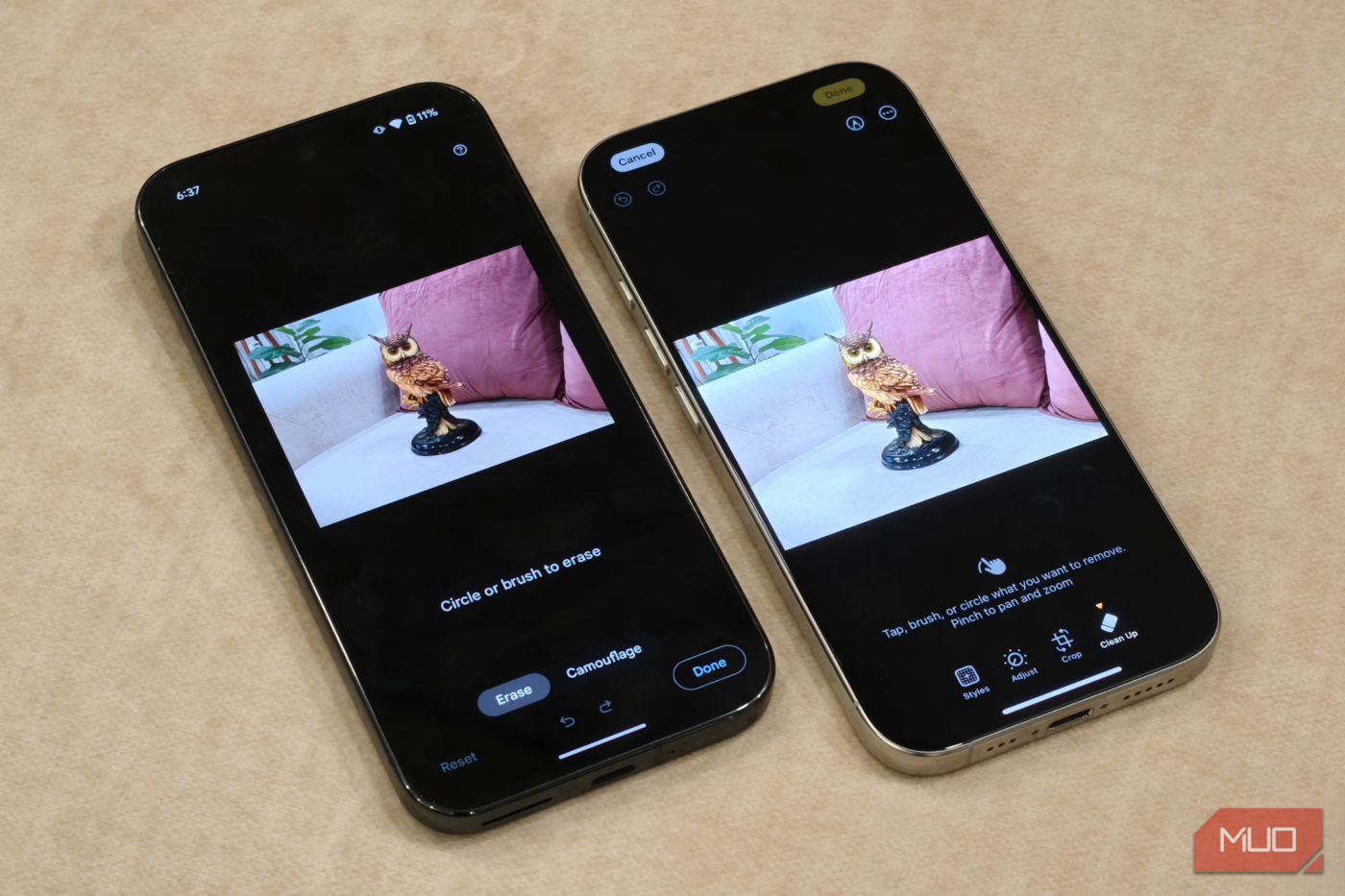
The built-in photo editors on phones are designed to work for everyone, which usually means they are great at nothing in particular. Don’t get me wrong. They’re handy for quick fixes and basic touch-ups, but they still feel like a compromise once you start caring about details.
That’s why I still rely on a few dedicated photo editing apps on my phone. They all solve different problems for me, whether it’s precise editing, AI enhancements, or preparing images for professional use. Instead of trying to do everything at once, they focus on doing a few things really well.
Snapseed
A powerful editor that doesn’t feel overwhelming
The problem with most popular photo editors is that they’re either paid, hide their best features behind a paywall, or even worse, bombard you with ads. Snapseed by Google is completely different. It’s free, has no ads, and comes with zero in-app purchases.
What makes Snapseed special is that it offers all the useful editing features you might need without feeling intimidating. This may not sound like much, but it’s rare for a photo editing app these days. You get everything from adjustments like brightness, contrast, and saturation to advanced options like curves, perspective corrections, and even selective adjustments. Everything is organized neatly into just three simple tabs.
The Selective tool alone puts Snapseed ahead of most default editors. Instead of editing the whole image, you can tap a specific area and adjust only that part. This is handy when you want to brighten a face without blowing out the background or add drama to the sky without touching the foreground.
Snapseed also makes bulk editing photos easy. If I’ve spent a few minutes editing an image, I can save my edits as a custom preset under the Looks tab. After that, I can apply those same effects to other images with a tap.
Last but not least, Snapseed also deserves credit for its built-in tutorials. Tap the three-dot menu, select Tutorials, and you’ll find a list of detailed tutorials and tips that show you how to get the most out of the app’s features.

- OS
-
Android, iOS
- Price model
-
Free
Snapseed is a free photo-editing app from Google that offers professional-level photo editing tools in an easy-to-use interface.
Canva
More than a photo editor
Canva is not exactly a dedicated photo editor, but its editing tools are far better than you might expect. Unlike Snapseed, Canva is available on both mobile and desktop, though I personally prefer using it on my phone for ease of use.
Canva keeps things simple, which makes it easy to use even if you haven’t tried it before. You get all the handy filters and effects with simple sliders that make it easy to dial in a good-looking edit without overthinking things. One of my favorite editing features in Canva is the color changer. It automatically detects all the colors in your image and lets you replace them without selecting anything.
Canva also shines with its selection tool. The app can automatically detect the foreground, background, and various objects within an image, which means you can edit them separately without selecting anything. If you have a Canva Pro subscription, you also get access to its Magic Edit tools. These let you replace a background, move objects, expand an image, and even turn it into a short three-second video.
And since Canva is primarily a design tool, you can tap into its massive library to add graphics, text, icons, and other design elements. This makes Canva ideal for editing photos for professional use. Personally, I use Canva’s photo editor for most of my feature images when working on my articles.

- OS
-
Android, iOS, Windows, Mac
- Price model
-
Free, subscription available
Canva is a design tool that lets you create professional visuals with a simple drag-and-drop interface and thousands of templates.

I Make My Smartphone Photos Look DSLR-Quality With These Editing Tricks
No DSLR? No problem! Try these editing tricks to give your smartphone photos the DSLR look.
Built for image tasks editors usually ignore


Honestly, Snapseed and Canva fulfill almost all my needs when it comes to editing images. Still, I keep Image Toolbox installed because it’s more like an image tool than a traditional photo editor.
Image Toolbox is a free, open-source app that lets you compress images to specific sizes, convert between formats, resize photos precisely, and even strip or edit EXIF metadata. If you’ve ever wanted to reduce an image size without destroying quality, this is the app that gets it right.
I use it for stitching images together, creating collages, adding watermarks, and a lot more. These are things that most photo editors either complicate or do poorly. One of Image Toolbox’s biggest strengths is batch processing. It lets me edit, compress, resize, rename or even convert a bunch of images at once.
What I like about Image Toolbox is that it doesn’t try to replace my phone’s default editor or other third-party apps for that matter. Instead, it offers tools that most photo editing apps struggle with or ignore entirely. And despite being a free app, it has a beautiful design, no ads, and doesn’t require creating an account.

- OS
-
Android
- Price model
-
Free (open-source)
Image Toolbox is an open-source app that offers several tools for editing and manipulating images in bulk.
If you are willing to move beyond the built-in tools, these apps prove that mobile photo editing can be powerful, practical, and even fun. Of course, you don’t need all of these apps. Snapseed is great for precise control, Canva bridges the gap between photo editing and design, and Image Toolbox takes care of the more technical tasks. All you have to do is pick the right app based on your needs.
source
Note: All product names, brands, and references in this post belong to their respective owners.
For more smart home guides, lifestyle tech updates, and UAE-focused recommendations, visit blog.thikra.co.
To shop smart gadgets, accessories, and lifestyle electronics, explore Thikra Store at thikra.co.




Leave a Comment