
Thikra Blog shares smart living tips, home gadget updates, and lifestyle technology insights tailored for UAE readers.
I can’t function without knowing exactly what I need to do and when I need to do it. I’ll forget it for days on end otherwise, only for the task to come floating back to me at 3 AM months later. This is why I’ve always been glued to a to-do list and time-blocking to keep myself on track.
I’ve tested practically every to-do list app there, and Google Tasks has been my go-to for years now. However, I decided to stop using it for good a few days ago — all thanks to a browser feature I’d been overlooking: tab groups.
Even as someone who obsessively tries out new browsers and switches them constantly hoping for the perfect setup, I somehow never really used the Tab Groups feature. If you aren’t familiar with it, Tab Groups are exactly what the name suggests: a way to group your tags forever and keep related pages organized.
Say you’re working on an assignment and a work task simultaneously. Instead of having all your tabs jumbled together, you can separate them by project, collapse groups you’re not using, and jump between tasks without losing track of anything. The way Tab Groups work and the process of creating them varies from browser to browser. For instance, in Chrome (and Chromium-based browsers like Brave and Comet), you can create a Tab Group by simply right-clicking on an open tap, and clicking Add tab to new group.
You can then name the group, and choose a color. All you need to do then is drag other related tabs into the group, collapse it when you’re not working on that project, and expand it again whenever you need to pick up where you left off.
So, how do you actually use Tab Groups for tasks?
Now, while the above has made it clear that Tab Groups are an excellent way to organize tasks and keep track of them, the real question is: how does that actually make them a replacement for a to-do list?
There’s a super neat feature that lets you pin Tab Groups to your Bookmarks Bar. This isn’t enabled by default on Chrome, but you can do so by heading to Settings > Appearance and toggling on the switch next to Show tab groups in bookmarks bar.
Once enabled, as long as you have the Bookmarks Bar visible, your Tab Groups will stay right there, even after closing the browser. While I don’t use the browser on my phone, any Tab Groups I create on my computer automatically sync across devices when I’m signed into Chrome. This means I can start a task on one device and pick it up on another, without ever losing track of what I was working on.
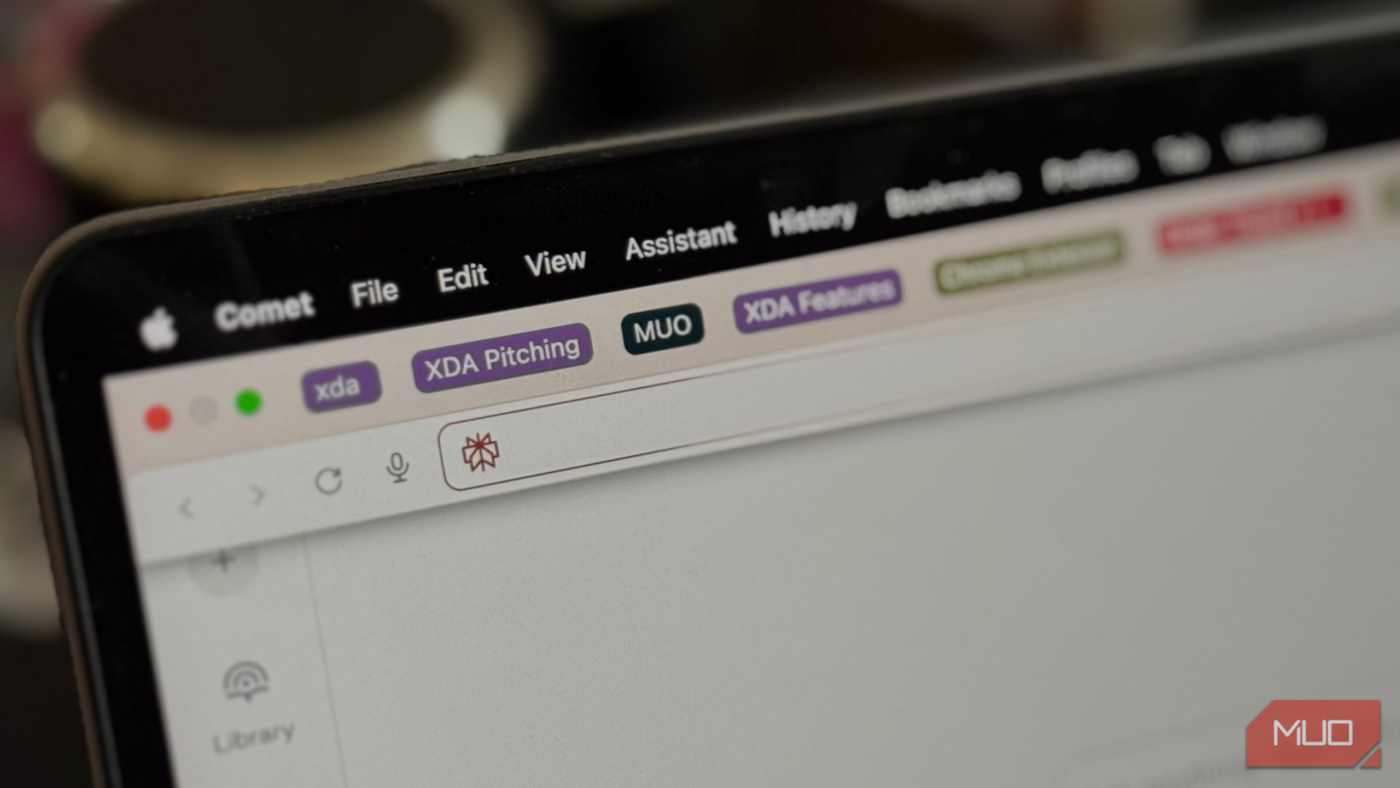
Given that the majority of the tasks I need to do are on my computer, whether it’s research for an article or college assignments, I’ve started treating each Tab Group as a standalone task. With them all appearing on my Bookmarks Bar, I know exactly what’s pending at a glance.
Each group acts as a visual reminder, and I can jump straight into a project without opening a separate to-do list app or losing track of anything. Once I’m done with a task, I delete the Tab Group I created for it and hop onto the next one. Over time, this simple system has replaced the need for a traditional to-do list entirely.

This built-in but underrated Chrome feature fixed my tab chaos
Separating your personal and work life with a built-in Chrome feature.
Since you’re supposed to pick a color for each Tab Group, I’ve also started color-coding them based on priority and project type. For instance, I use red for urgent tasks, blue for tasks I’m working on, and green for tasks that are almost done. For tasks that aren’t particularly urgent but are part of my daily routine, I assign other colors. For example, work I handle for MUO goes into black, while XDA-related tasks get purple.
This simple yet extremely effective setup has transformed my browser’s Bookmarks Bar (which I would frankly not use much) into a visual dashboard where I can instantly see what to tackle next. I’ve also noticed I tend to get a lot more done using this method than I would with a to-do list app.
This is because the Tab Groups are always in front of me — I can see my tasks at a glance without opening a separate app or switching contexts. Unlike a traditional to-do list, which I might ignore or forget to check, the visual presence of my Tab Groups keeps me accountable and focused throughout the day.
The most underrated productivity hack hiding in your browser
Frankly, I can’t believe how I’ve spent so long juggling to-do list apps when this simple browser feature does everything I need. If you aren’t using it yet, take this as a sign to give Tab Groups a try — you might just find yourself ditching your to-do list app for good.
source
Note: All product names, brands, and references in this post belong to their respective owners.
For more smart home guides, lifestyle tech updates, and UAE-focused recommendations, visit blog.thikra.co.
To shop smart gadgets, accessories, and lifestyle electronics, explore Thikra Store at thikra.co.







Leave a Comment