
Thikra Blog shares smart living tips, home gadget updates, and lifestyle technology insights tailored for UAE readers.
For years, clearing your browser cookies felt like a small but meaningful privacy reset. You’d nuke your data, reload a site, and feel like you’d shaken off the trackers following you around the web. That advice used to make sense.
Today, it’s simply not enough as a single privacy protection.
Modern tracking has moved on. Cookies are just one part of how websites identify you, serve you ads, and track you around the internet. So while removing cookies doesn’t really create problems, if you actually want to reduce online tracking, you need to stop chasing cookies and start limiting the data your browser leaks in the first place.
What cookies do
And why they matter less than you think

Cookies were originally designed for convenience, not surveillance. They remember whether you’re logged in, what’s in your shopping basket, or which language a site should load by default. First-party cookies still do that job perfectly well.
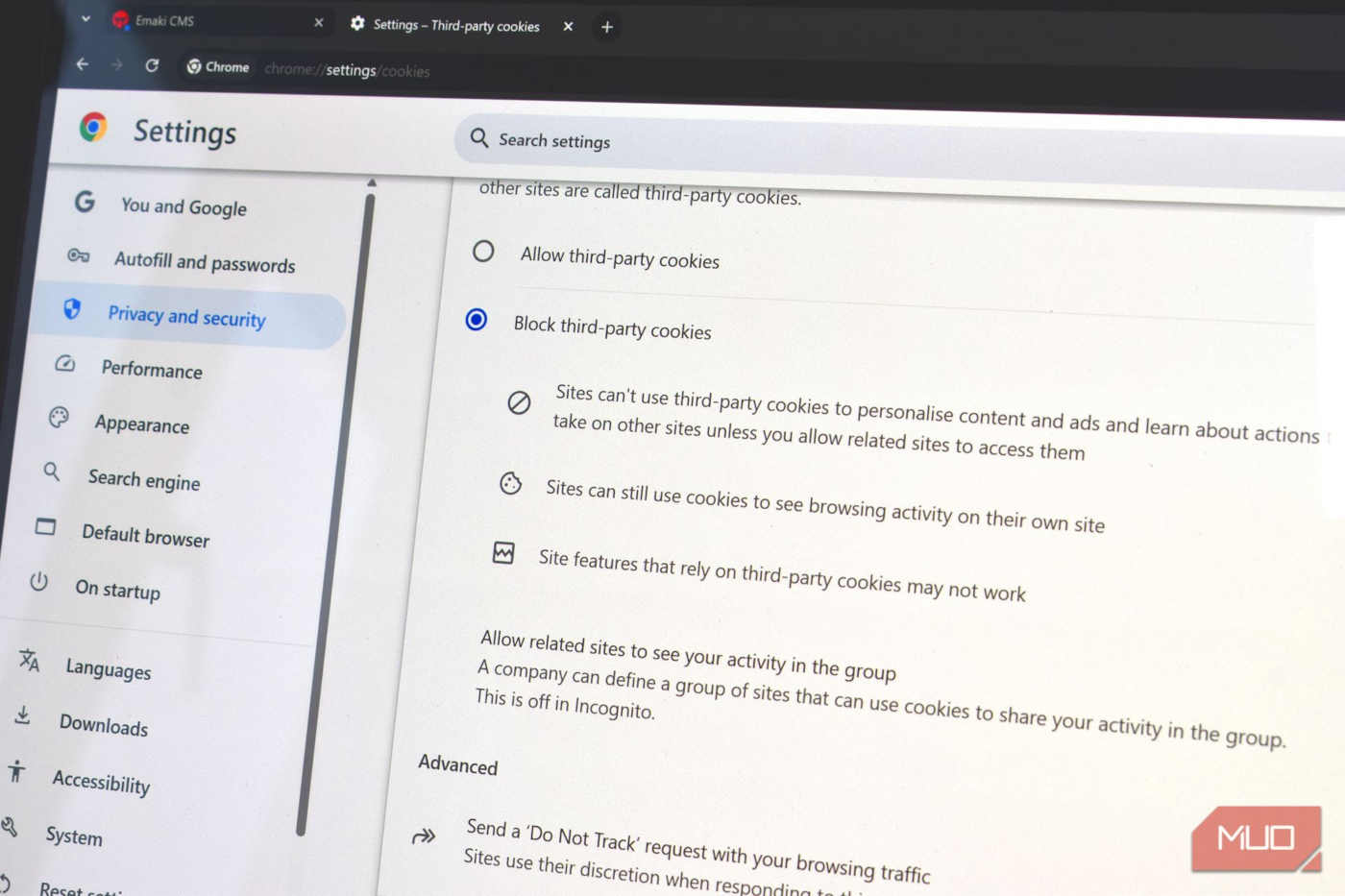
The real problem came from third-party cookies, which allowed advertisers to track you across completely unrelated websites. Those cookies helped build massive behavioural profiles, following users from page to page, site to site. In 2024, Google actually began to phase out third-party cookies, but then reversed the decision in 2025.
Part of the problem is that clearing your cookies doesn’t solve the privacy issue. It’s one of the biggest browser privacy myths—they’ve become just one small signal among dozens of others that browsers expose automatically. Clearing cookies removes a piece of data, but it doesn’t remove you from the tracking ecosystem.
Cookies are just one part of the privacy puzzle
These other tracking methods need addressing
Cookies are still ever-present. But they’re not the only privacy tracker following you around the internet. When it comes down to it, there are several other ways your data is being hoovered up, often whether you like it or not.
Browser fingerprinting

Browser fingerprinting works by observing the characteristics of your device rather than saving anything to it. Your screen resolution, operating system, installed fonts, graphics hardware, time zone, and even how your browser renders certain elements can be combined into a surprisingly unique profile.
Here’s what they don’t tell you about cookies, though. Clearing them does nothing to protect against fingerprinting, and it doesn’t clear the fingerprint, either. It’s a similar story for incognito browsing modes, too, which present a private but really aren’t doing much to deliver.
IP address and network-level tracking
I’m sure you’ve noticed that when you travel somewhere new, your adverts change. Even travelling a few hours down the road can throw up more localized advertising, and when you visit a new country, it changes completely.
That’s because advertisers can use your geolocation and network configuration to target adverts to your specific location. It doesn’t matter if the adverts don’t really make sense to you, but most of the time, the geolocation and network data are combined with other information to serve mostly accurate adverts wherever you go.
I’ve seen this many times in practice on my own devices. One clear example I have of this switch-up was on landing at CES in Las Vegas. I’m a huge F1 fan, but at home, I don’t see any adverts for this. But on landing in Las Vegas, I suddenly received adverts for the Las Vegas Grand Prix.
The thing to remember is that this tracking can happen far beyond the website you’re visiting. Content delivery networks, analytics providers, and ad exchanges can all see patterns emerge, even when cookies are wiped regularly.
Account tracking
Your accounts are also doing their best to track you around the internet. Given that most of the major platforms, like Google, Facebook, and Instagram, are just advertising tools, it figures.
Cookies are part of the equation here. But these giant publishers have many more tools at their disposal, such as tracking pixels, embedded scripts, login buttons, and so on. Each of these different tracking tools helps to build a profile, even if you clear your cookies.
It’s all about stopping the data to begin with
You need a multifaceted approach to privacy protection
Like so many things in life, protecting your privacy is all about layers. Unfortunately, there isn’t a single, one-size-fits-all, shiny button you can press to fix everything. However, don’t despair, as boosting your privacy isn’t challenging; it just requires some thought.
Use a privacy-focused browser
Google Chrome is the world’s most popular browser, by a long distance these days. But it’s far from the most privacy-focused. Given Google’s primary business focus is selling adverts, that’s basically a given.
There are several browsers that specifically aim to protect your privacy, such as Brave and Firefox, and don’t destroy your browsing experience in the process. (Though Firefox’s lurches towards AI have some concerned about its privacy credentials!)
Both of these browsers include privacy-focused protections like cookie partitioning, script isolation, and automatic blocking of known fingerprinting behaviours.
Use a privacy-focused DNS provider

Another handy and easy-to-implement privacy boost is to change your DNS provider.
The Domain Name System (DNS) is basically the backbone of the internet, converting the text we input in the address bar into a numerical IP address to find the data, website, or otherwise. Each time you do this, you make a DNS request to find the data you require.
However, most of the time, these DNS requests are sent in plaintext, which means your ISP, a network admin, or similar can see your requests and figure out what you’re doing. And that’s where an encrypted DNS provider comes in.
You could also enable DNS over HTTPS in your browser, or even better, for your whole operating system, to better protect the data being sent from and received on your system.
Change your browser settings
In those cases where you can’t change your browser, you can take some additional steps to protect your privacy with some settings tweaks.
For example, there are heaps of settings you can change in Microsoft Edge to boost your privacy, while if you’re lumbered with Google Chrome, there are several browser extensions that will protect you.
It’s useful to remember that none of this will make you completely invisible online. But taking some extra steps will boost your privacy, reduce your surface area, and provide fewer unique signals from your devices.
Automatically reject cookies where possible

Cookie pop-ups are relentless, right? They’re certainly the bane of my life, given I spend around eight to ten hours per day online researching, writing, and so on.
That’s why I started using a tiny browser extension to reject cookies automatically, helpfully pushing back on some of those pop-ups.
Don’t chase cookies—limit data instead
Clearing cookies is still a useful part of your privacy process. I’m not saying that you should stop clearing your cookies. That’s not what this is about.
It’s more than that: for a long time, the sole focus on protecting your data online was on cookies, when the reality is that online privacy is a more nuanced problem. In that, modern tracking solutions have evolved so that cookies aren’t the sole way to serve you targeted ads.
They’re handy, but modern tracking doesn’t care. It watches how your browser behaves, what it reveals, and the accounts you’re tied to.
Real privacy isn’t about erasing the past. It’s about reducing what you leak going forward. Once you stop obsessing over cookies and start controlling your browser’s behaviour, tracking becomes far less effective, and maybe with less effort, too.
source
Note: All product names, brands, and references in this post belong to their respective owners.
For more smart home guides, lifestyle tech updates, and UAE-focused recommendations, visit blog.thikra.co.
To shop smart gadgets, accessories, and lifestyle electronics, explore Thikra Store at thikra.co.








Leave a Comment