
Thikra Blog shares smart living tips, home gadget updates, and lifestyle technology insights tailored for UAE readers.
Automation tools like Zapier and n8n dominate the conversation when it comes to workflow automation. They’re easy to use and allow anyone to connect to their favorite apps without writing a single line of code. But I recently came across a contender that is surprisingly robust and helpful, despite only being around since 2023 — Activepieces.
Activepieces is an open-source automation platform that allows users to build automated workflows. No need to dive into any code, unlike AutoHotkey. What makes it stand out is not just its functionality but also its ease of use and its design for self-hosting. It being free and community-driven is the icing on the cake.
It’s great that there is another automation tool out there that combines usability, flexibility, and transparency in a compelling way. This makes it a serious alternative to the established giants in the automation space.
Built for those who want to skip code entirely
Activepieces aims to get you building flows as fast as possible

Similar to Zapier, Activepieces provides a drag-and-drop interface where you can build flows by linking triggers and actions. Flows are essentially automated sequences of actions triggered by events. However, unlike Zapier, Activepieces is completely open-source, meaning you can inspect its code, contribute to its development, and even host it yourself. It’s also worth saying that some people find Zapier’s free tier to be great.

I automated half my PC tasks without learning to code — here’s the tool
A simple Windows tool turned repetition into effortless automation.
Compared to n8n, another open-source automation tool, Activepieces feels more approachable for beginners. It’s got a more streamlined interface, which favors simplicity over complexity.
I also found n8n to be too technical in some scenarios. For instance, connecting my Gmail account to a trigger or action proved difficult when setting up an automation that manages my emails. It required me to go into Google Cloud Console and tweak some settings. It’s something that the average user would find hard to figure out on their own. In Activepieces, I connected my Google account with a few clicks.
Activepieces is powerful enough to handle complex flows but intuitive enough that non-technical users can start building flows within minutes. This combination of accessibility and openness is what caught my eye among the many automation tools I’ve tried.
I self-hosted Activepieces locally using Docker
Docker is the easiest method to get up and running

To try it myself, self-hosted Activepiece using Docker. This ensured I could run Activepieces on my computer, where I have full control over my data and environment. The method I used is best for personal testing because it runs a single instance on one machine.
If you want to run multiple instances of Activepieces (e.g., in a production environment), you’ll need to use Docker Compose.
To install Activepieces in Docker, I opened Windows PowerShell (you can use other terminals such as Command Prompt or Git Bash). Then, I entered the command below to pull and launch the latest version:
docker run -d -p 8080:80 -v ~/.activepieces:/root/.activepieces -e AP_REDIS_TYPE=MEMORY -e AP_DB_TYPE=SQLITE3 -e AP_FRONTEND_URL="http://localhost:8080" activepieces/activepieces:latestThere are several important environmental variables to understand here.
-
AP_REDIS_TYPE=MEMORYsets up Activepieces with Redis, an open-source data structure server, in memory mode. This means Redis data will be stored in memory (also known as RAM or temporary storage) and will be discarded when the container restarts. -
AP_DB_TYPE=SQLITE3sets SQLite as the database. -
AP_FRONTEND_URL="http://localhost:8080"tells Activepieces that it should use the assigned web address to access its interface.
If you want to know all the environmental variables at your disposal, you can look at the Environment Variables page on the Activepieces website.
Once the container was up and running, I opened http://localhost:8080 in my browser and signed in to Activepieces. From there, I started creating my flow.
Setting up a flow is quick and easy
I even put some AI in it
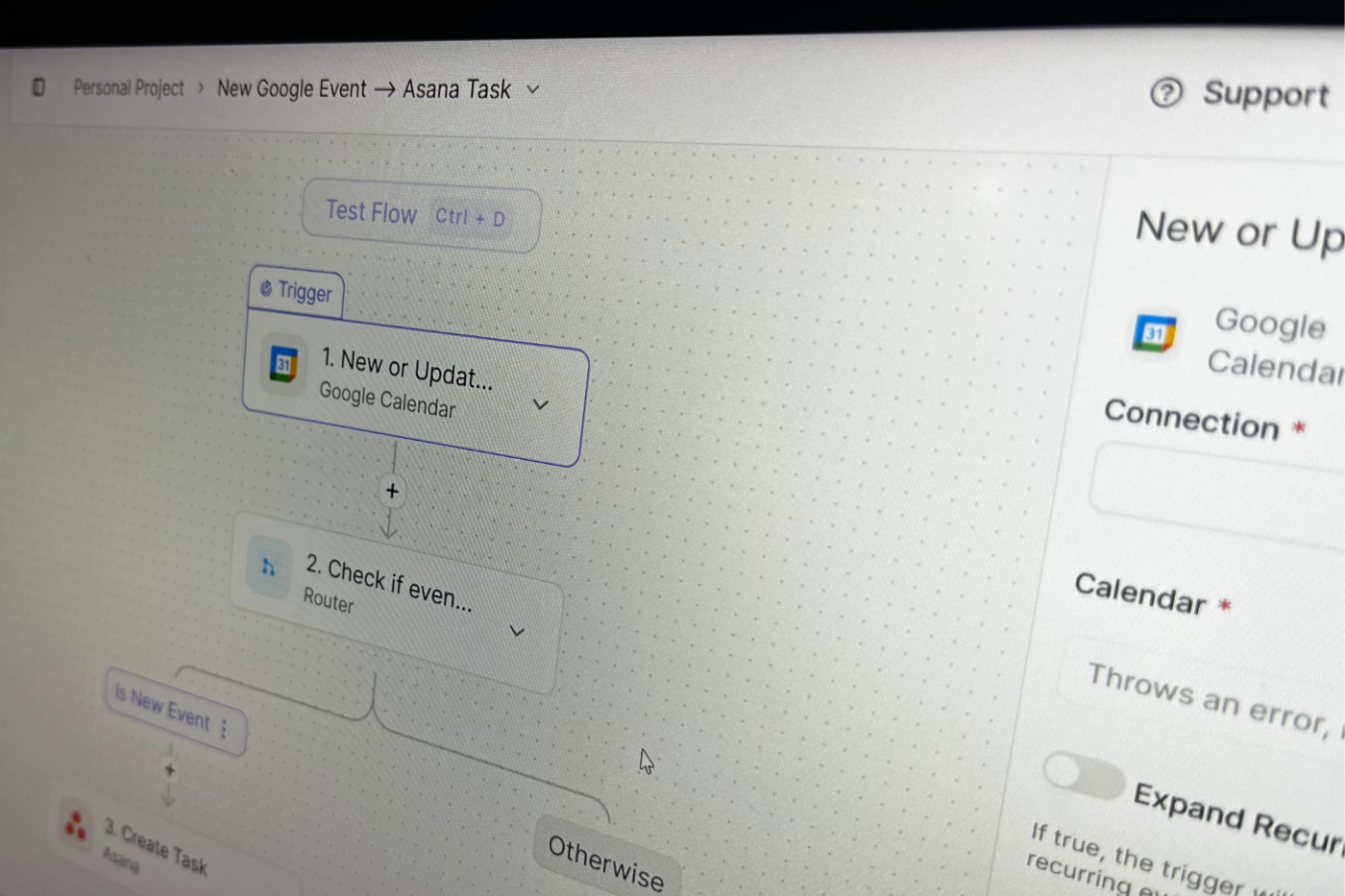
For my test, I set up an automation that gets all the events from my Google Calendar for the day. Then it sends an email summarizing what I have to look forward to.
The flow begins with a Schedule trigger that starts the automation every day at 6 AM. Next, a Get Current Date action grabs today’s date, and the Add/Subtract Time action adds 12 hours to it using the simple expression + 12 hour. Then, a Get all Events action grabs all events from 6 AM to 6 PM — based on input from the two previous actions—in my Google Calendar.
I tested the flow after each step to verify the output. This ensured that the flow would run as expected.
Now, here is where it gets interesting — I added a Generate Content action for Gemini. I wrote a prompt that tells it to list the events returned by the Get all Events action, along with their start times. A longer approach would have been putting together a series of actions that loop through all the events and construct the summary one item at a time. Using Gemini was much easier.

8 small ChatGPT automations actually make my day faster
I used these simple scheduled prompt ideas to streamline my day
I generated a Gemini API key in Google AI Studio. The biggest reason for choosing Gemini is the free daily AI credits.
Finally, I used a Send Email action for Gmail and inserted the Gemini-generated content in the body.
Activepieces is quickly becoming my favorite workflow automation tool
Activepieces stands out because it offers a clean and intuitive experience for such an open-source and self-hosting solution. After testing it, I can verify that it’s practical for everyday use. The Docker setup ensures easy experimentation without limits. I recommend Activepieces to anyone seeking a lightweight yet powerful automation platform. It’s refreshingly capable and genuinely worth considering.
source
Note: All product names, brands, and references in this post belong to their respective owners.
For more smart home guides, lifestyle tech updates, and UAE-focused recommendations, visit blog.thikra.co.
To shop smart gadgets, accessories, and lifestyle electronics, explore Thikra Store at thikra.co.











Leave a Comment