
Thikra Blog shares audio gear reviews, wearable tech updates, and device guides to help UAE users choose the best earbuds, headphones, and smartwatches.
Do you ever get tired of having to reattach a cable or dongle to connect your headset from your PC to your console? What if, instead of moving a dongle from one to the other, you could just connect to both? With a single button on the Logitech A20 X, you can do just that to easily switch between devices, as well as your phone. Ingest all the entertainment you’d like. However, is it good enough to gain a spot in your gaming station?
About this Logitech A20 X review: We tested the Logitech A20 X over a period of 7 days. It was running firmware version 1.0.1861, the Logitech G hub mobile app ran version 1.6, and the desktop Logitech G hub Software ran version 2025.8.789376. The company provided the unit for this review.
This article was published on November 17, 2025, and this is the first version of the article. Updates will follow as the market changes.
The Logitech A20 X is for those who are looking for a single headset that can easily move between two consoles as well as a Bluetooth device.
What’s it like to use the Logitech A20 X?

Jhaycee Calvez / SoundGuys
Hope you don’t lose the detachable mic.
Fit and build
The A20 is mostly made of plastic, but it doesn’t have that cheap plastic feel. It feels solid yet is very flexible. The headband is a soft, stretchy band with two notches for adjustment. For my head, I didn’t find the need to loosen it as the band lifts the headset enough to feel like it’s floating. I wish more headbands used this type of cushioning, as it conforms to the head effortlessly.
The earcups themselves have a lot of swivel and can be adjusted up and down by an inch. This can make it easier to find a good fit. The earpads are made of a tight-knit fabric, which is very comfortable, but they get very warm quickly. This is great in the winter months, but even then, it’s still a little too warm for my liking. It felt uncomfortably warm to my ears just after 30 minutes of wearing it. At least it mostly stays there even after 5 hours. Wearing it for longer periods of around 8 hours, it started to feel uncomfortable enough to want to take it off.
Wireless dock
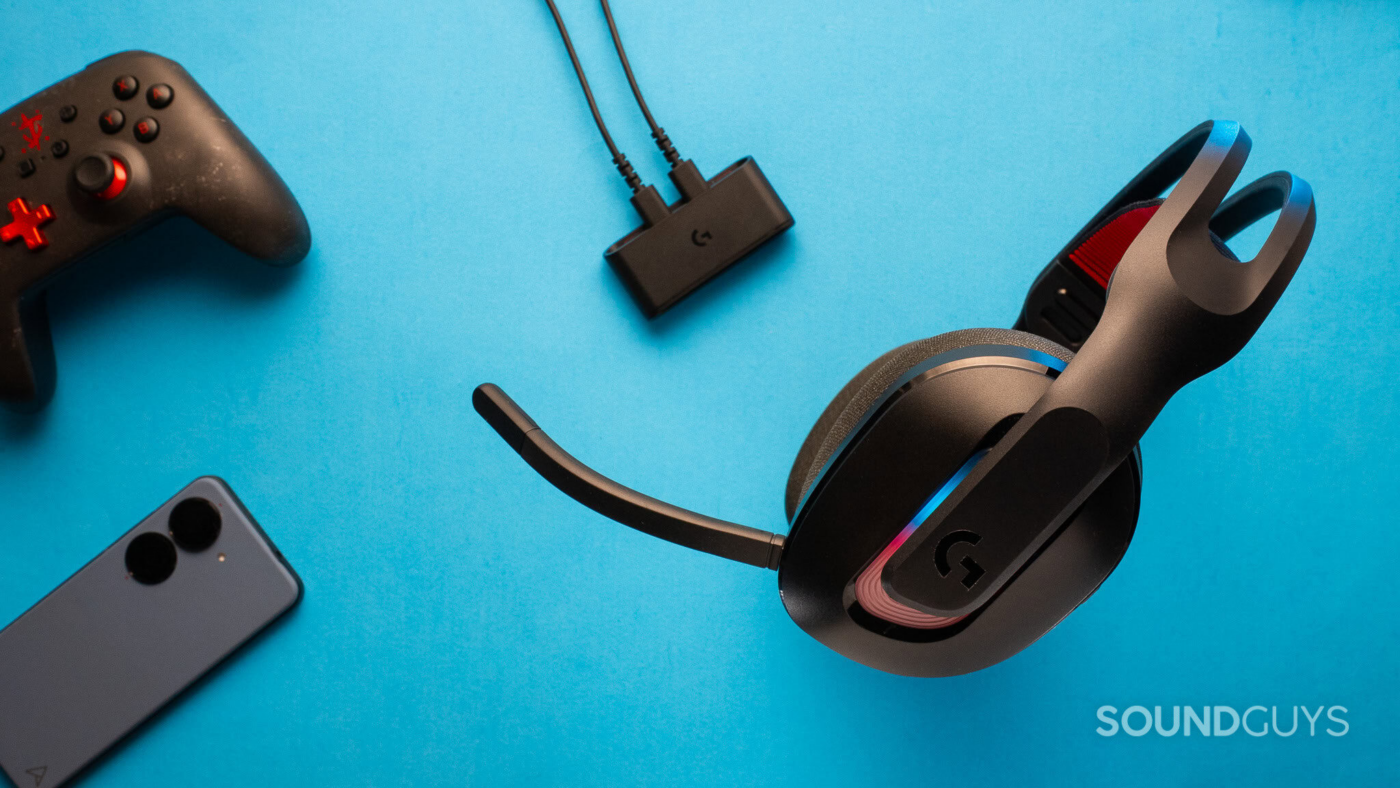
The dock is small and unintrusive. The main feature is that you can connect it to two consoles via USB cables and then wirelessly swap between them. While you can’t listen to the two audio streams simultaneously, you don’t have to unplug anything to move from one to another. Instead, you can press a button on the headset to swap connections, and on the front of the dock, there is a light indicator to identify which connection I’m actively listening to. There is also a button underneath the dock, but it’s less convenient and more of a backup in case the button on the headset doesn’t work.

Jhaycee Calvez / SoundGuys
While you can connect to two devices, the dock is small and unintrusive.
Boom microphone
The microphone might not last very long. The boom mic doesn’t tuck away neatly to the side of the headset. It has to be connected through a keyed 3.5mm jack on the left side of the headset. There’s no cover for the hole either, which I wish would be built into the headset. If you’re anything like me, you’ll lose the boom mic the same day you unbox it. Other than the box it came in, there isn’t a pouch or place on the dock to stash the boom mic safely. You do get a mic mute light to let you know if you are muted. That way, you don’t have to toggle through the mute switch for a tone notification to find out.
How do you control the Logitech A20 X?

Jhaycee Calvez / SoundGuys
The A20 X has a volume roller, but no playback controls at all? Seriously?!
While there are extensive controls when connected to a PC or console. The volume control wheel on the left earcup is stiff and tactile, featuring large, flat bumps. Below is the mic mute toggle button, featuring a knurled texture. Above are the Bluetooth button and the power switch. In addition to the LED above the power switch, the switch itself features a colored underside to indicate whether it’s on or off. The Bluetooth button toggles the headset between Lightspeed and Bluetooth connections.
Unfortunately, when you do switch over to Bluetooth, you are severely limited. I couldn’t find a way to control playback in any capacity. Given the number of buttons that Logitech put on the headset, you would think that even a single playback button would be somewhere.
On the left earcup, there’s a bright red button that swaps between the two connections from the dock. Underneath is a rocker that swaps between game and chat volume control. You’ll need to set it up in the Logitech G Hub software to make full use of this feature.
Should you use the Logitech G Hub for the Logitech A20 X?
Both the mobile and desktop versions of the Logitech G hub app have great customization features. However, the mobile app version is much more limited and a little unintuitive. While the mobile app is minimalistic and easy to read, accessing the EQ was not obvious. The arrow at the bottom of the screen doesn’t stand out enough, so I initially thought it was just a design element. Once I did swipe up, I was able to access the headphone and mic EQ, as well as their EQ presets.
What is great about the EQ options is that you can set different EQ between the Bluetooth connection and the Lightspeed connection. There is a 10-band EQ that forces the phone into horizontal mode. It has a maximum gain of 6dB, with 0.1dB increments. However, you can switch to advanced mode to enter the specific frequency, Q depth, and gain in dB. Logitech manages to keep the 10-band equalizer in that mode too.
Using the microphone adjustments, you have the same access to the 10-band EQ, including the advanced option. The downside is that neither the mic nor headphone sections have an extensive EQ library if you aren’t a fan of adjusting it yourself.

The Logitech G Hub mobile app has a full parametric EQ.
The EQ is also accessible through the desktop Logitech G Hub app. While it does look like you have to create an account when you first download it, you don’t have to. It’s already downloading in the background. The software is easy to navigate with clear sections. You get the same 10-band EQ as the mobile app. Even the advanced option to make those granular adjustments. The difference is in the microphone adjustments.
There are more options with the microphone on the desktop version. You can adjust the high-pass filter, noise gate, noise reduction, de-esser, de-popper, and compressor. A lot more granular than the mobile version.
I did experience issues accessing the A20 X on the mobile app when switching from the Lightspeed connection to Bluetooth. Moving to Bluetooth is no problem, but the app fails to recognize that it is connected. I had to restart the headset for the app to recognize the connection.
How do you connect the Logitech A20 X?
The A20 X can connect wirelessly via Bluetooth 5.3 and 2.4 GHz through the dock. If you prefer a wired connection, you can use the USB-C port on the headset for audio.
Using Bluetooth, I noticed a slight lag. When watching a podcast or movie, it’s just noticeable enough when I pay attention. This is normal for Bluetooth connections, since the lowest latency is still above the 20ms mark. This isn’t much of an issue when playing music, but those who are sensitive to latency will find it annoying.
Moving to LIGHTSPEED wireless, I found it difficult to find lag when playing games or watching movies. It also sounds a bit better than it does through Bluetooth.
There is a dedicated Bluetooth mode for you to connect the A20 X to your phone. To move the A20 X into pairing mode, follow the steps below:
- Turn on the A20 X.
- Press and hold the Bluetooth button on the left earcup.
- There will be a honing signal when it moves into pairing mode.
- Check the list of available Bluetooth devices on the phone you want to pair it to.
How long does the Logitech A20 X’s battery last?
It’s rated up to 90 hours without the lights and 40 hours with the default lights. I opt to go without the lights, which makes them almost a week’s worth of daily use headphones. I tested them by using them on the go, at the office, going back home, and even leaving them playing music from time to time. Roughly using them for somewhere between 10 to 16 hours a day. It only gave me a battery warning on day six.
The headset features a power-saving mode that automatically turns off if it receives no audio for 30 minutes. This is annoying, but not a significant problem, as it can help the headset battery last longer. If you really don’t like it, you can disable it in the app.
What I did like is that there is also a battery-saving feature, which is distinct from power saving. You can limit the A20 X to an 80% maximum charge. With the battery saving mode, the A20 X can outlast the current generation of consoles. This helps the environment since longer-lasting batteries don’t have to be recycled as often.
How well does the Logitech A20 X block noise?
The A20 X doesn’t have Active Noise Cancellation, which is typical for headsets at this price point. That means you are left with passive isolation only, and unfortunately, it is horrible. I’m almost able to hear everything as if I weren’t wearing anything at all. While testing, I happened to board the train with some hooligans who maxed out a large speaker, and the A20 X might as well not be there. I heard everything loud and clear.
Some of the high-pitched sounds are a little duller, but it doesn’t do much to decrease the ambient noise around me. Most noise is still audible, and speech remains intelligible. I wouldn’t recommend the A20 X for outdoor use, as you’ll have to pump the volume to overpower any noise, which we don’t recommend, as that can lead to hearing loss.
How does the Logitech A20 X sound?
As with most mid-range gaming headsets, the Logitech A20 tends to be overly bassy, with a drop off in the higher treble region.
Multi-Dimensional Audio Quality Scores (MDAQS)
Hold up! Something’s missing
We’re currently upgrading a few things in the lab, and we’re holding off posting MDAQS results for now. But we have tested the A20 X LIGHTSPEED; we’re compiling a little more information before we publish the results to ensure the quality of data meets our editorial standards.
Reviewer’s notes

Jhaycee Calvez / SoundGuys
The Logitech A20 X is great for FPS gaming.
Editor’s note: this review uses a hover-enabled glossary to describe sound quality based on a consensus vocabulary. You can read about it here.
Objective Measurements
Looking at the frequency response of the A20 X appears terribly underemphasised compared to the SoundGuys preference curve. While the bass is lower than our preference curve, it’s paired with highly underemphasized treble, which can make the bass feel muddy and overemphasized. The only sections that are even close are the lower mids at 100Hz to 150Hz, and the upper mids at 750Hz to 1,800Hz. This emphasis can make vocals sound less detailed and present.
How good is the Logitech A20 X’s microphone?
The mic on the A20 X is one of the best mics you can have on a wireless headset. It does sound pretty dark, but if you don’t like how it sounds, you can also EQ it with the 10-band EQ.
Logitech A20 X microphone demo (Ideal conditions):
Logitech A20 X microphone demo (Office conditions):
Logitech A20 X microphone demo (Reverberant space):
Logitech A20 X microphone demo (Street environment):
Logitech A20 X microphone demo (Windy environment):
Despite the noise in the background, the signal-to-noise ratio is great. Separating the noise from the voice lines doesn’t take too much effort. I can still make out what is being said despite everything going on.
How does the microphone sound to you?
2 votes
Should you buy the Logitech A20 X?

Jhaycee Calvez / SoundGuys
Logitech A20 X can switch between a gaming console and Bluetooth connection.
The A20 X is great for those who would like a single headset to use between their console and PC, while being able to move to a phone. Swapping is as easy as pressing a button. The mic is great, as long as you’re going through the dock. The battery life is great, you won’t be left without a charge, and you can even connect through USB if you do run out.
What should you get instead of the Logitech A20 X?
The A20 X can connect to multiple consoles and your phone, but it doesn’t do simultaneous connections. This means you’re stuck with relying on in-game chat to talk to your friends. For $20 more, you can get the SteelSeries Arctis Nova 7 Gen 2. It loses the ability to connect the 2.4Hz wireless transmitter to two different devices. However, you can connect to your phone and use it for chat while connected to a console. Don’t worry, you’re muted away from the in-game chat to avoid embarrassing moments.
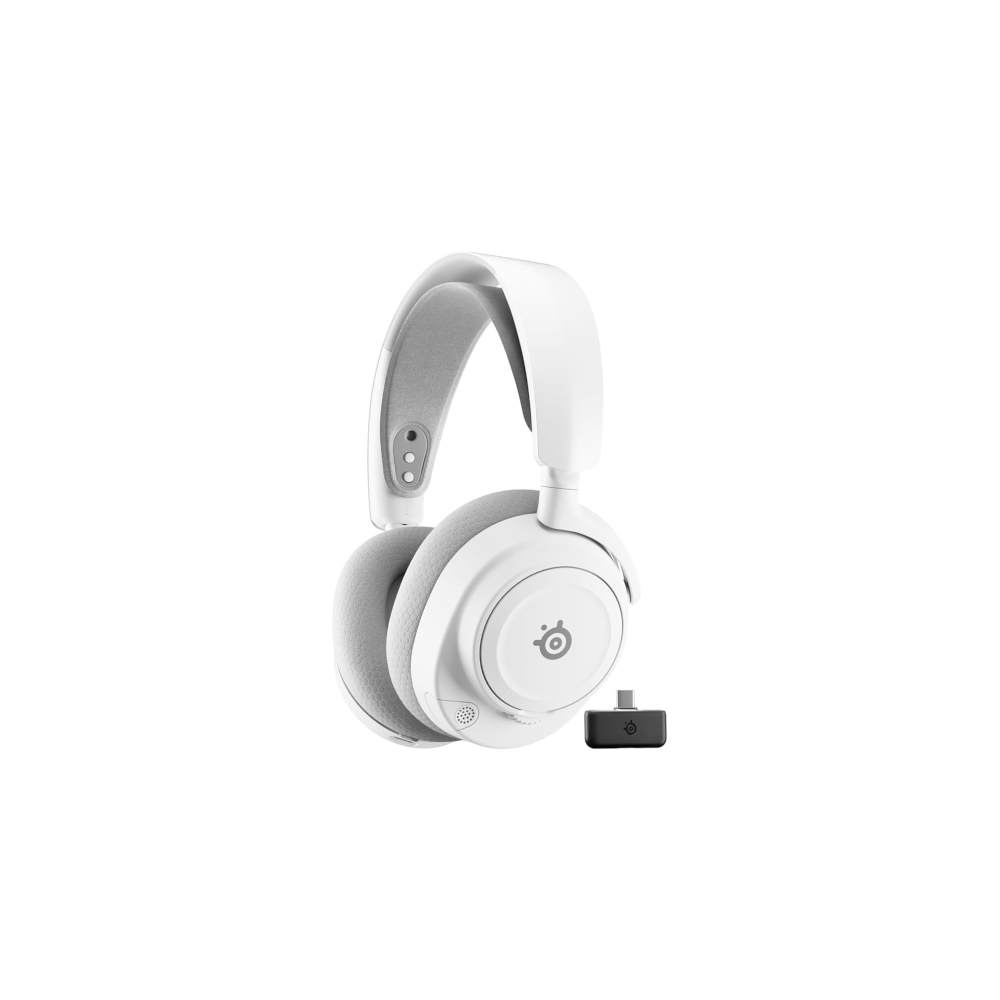
SteelSeries Arctis Nova 7 Gen 2
Simultaneous Bluetooth and USB connection • 50 hour battery life • Collapsible boom microphone • SteelSeries GG software
With the SteelSeries Arctis Nova 7X can simultaneously connect and listen to both your phone and gaming console. This way, you can talk to your friends out of the in-game lobby.
Logitech A20 X review: FAQs
Yes, you can charge and use the Logitech A20 X.
No, there are no other mics on the A20 X. However, it will still play audio, but you will not be able to record any audio.
Thank you for being part of our community. Read our Comment Policy before posting.
source
Note: All product names, brands, and references in this post belong to their respective owners.
For more audio gear reviews, wearable tech news, and UAE-focused buying guides, visit blog.thikra.co.
To shop earbuds, headphones, speakers, and smartwatches, explore Thikra Store at thikra.co.





Leave a Comment