
Thikra Blog shares audio gear reviews, wearable tech updates, and device guides to help UAE users choose the best earbuds, headphones, and smartwatches.

With Spotify’s new Lossless Audio feature making the rounds, you’ve probably already seen people saying the same thing: “Well, you’re going to need to buy a DAC to hear the difference.” The same advice gets thrown around for Apple Music’s Hi-Res Lossless tier, too.
That sounds like solid advice—and it is, to a point. A DAC, short for digital-to-analog converter, turns all those ones and zeros from your digital music source into a signal your headphones or speakers can actually play. If you want to hear everything a lossless track has to offer, that conversion needs to be clean and accurate.
So yes, a DAC makes sense, but only if you stop there. If you’re trying to build an organized, reliable desktop listening setup, an audio interface makes far more sense than stacking separate DACs, amps, and adapters. Most standalone DACs focus solely on digital-to-analog conversion and little else. Meanwhile, an audio interface, even a simple one like the Focusrite Scarlett Solo, does that job and adds features you’ll actually use every day.
To take full advantage of lossless audio, wired will always be key. Bluetooth still can’t handle it, no matter how many “Hi-Res” logos manufacturers print on the box. Yes, there are Bluetooth codecs that get close, but if you actually want to hear what Spotify or Apple’s lossless tiers offer, you’ll need a physical connection—and that’s where an audio interface shines.
If you’re upgrading for Spotify Lossless, what are you planning to buy?
44 votes
Why a DAC isn’t the upgrade people think it is

The Sennheiser HD 660S2 are an excellent-sounding pair of open-back headphones.
Lossless audio is exactly what it sounds like. When you stream a lossless track, you’re hearing the full, uncompressed version of the song. There’s no data removed or extra compression added to save bandwidth, which means—with the right gear—you might catch more of those subtle details like reverb tails, room reflections, and tonal nuances that often get lost in standard streaming.
To actually hear that difference, you need a stable connection, a good pair of wired headphones, IEMs, or speakers, and hardware that can play those higher-quality files without compromising the signal. So yes, a DAC seems like a natural upgrade. It converts the digital stream from your computer into an analog signal that your gear can play, and in theory, a higher-quality DAC should provide a cleaner signal.
An audio interface is still a clean DAC under the hood—just one designed for people who do more than press play.
But here’s the catch: a DAC is a one-trick pony. It only does that one job. It might power your headphones, but many listeners still opt for an external amp for added headroom. It doesn’t offer balanced outputs, which means you can’t connect studio monitors without increasing the chance of noise or interference, and it doesn’t provide any way to plug in other gear. It’s a single-purpose tool. That’s fine if all you ever want to do is listen to music through one set of headphones, but if you’re building an efficient desktop setup, that’s pretty limiting.
Even when you look at something more fully featured, like the FiiO K11, it still doesn’t change much. Yes, the K11 has RCA outputs for powered speakers, but RCA is an unbalanced connection, which is more susceptible to noise than the balanced outputs you get on an audio interface. Its strength is still headphone playback, not building a full desktop setup. No recording, no microphone support, no balanced monitor outputs, and no real routing control. Price-wise, it’s basically the same money: the K11 is about $159, while a Scarlett Solo is $149. For nearly the same price, an interface provides far more to work with.
An audio interface gives you everything a DAC does, with the same quality conversion, and adds flexibility that’s actually useful. With an interface, you get balanced 1/4-inch outputs for a proper monitor setup, as well as 1/4-inch and XLR ports for microphones or instruments. It’s still a clean DAC under the hood—just one designed for people who do more than press play.
What an audio interface does differently
When most people think of audio interfaces, they picture something complicated. A piece of studio rack gear covered in knobs and flashing lights. In reality, even small, entry-level interfaces like the Focusrite Scarlett Solo or 2i2 (4th Gen) are simply more versatile. They do everything a DAC does, but add the extra features you actually need if you ever want to expand your setup.
For example, the Scarlett Solo simply connects to your device via USB-C, and gives you clean, balanced 1/4-inch outputs for powered monitors, a proper headphone amp, and real volume knobs for both, all right on your desk. More importantly, it supports playback up to 24-bit/192kHz, which is ideal for Apple Music’s Hi-Res Lossless.
For Spotify Lossless, though, that’s higher than you’ll ever need, since it caps out at CD-quality 16-bit/44.1kHz. But the real benefit isn’t the numbers, it’s the flexibility. You can also plug in a microphone or instrument when needed. You don’t need a rack of studio gear to get high-quality sound from Spotify Lossless or Apple Music’s Hi-Res. A $149 little red box will do the trick.
More flexibility for the same money

Whether I’m tracking guitars or simply enjoying high-quality audio, the Scarlett 4i4 offers the flexibility I need.
My humble setup at home leans slightly toward the professional side, but it’s still straightforward. I use a Focusrite Scarlett 4i4, a pair of Sennheiser HD 660S2 headphones, and a set of Fostex monitors. This setup works great for me because I do a lot of production work—recording guitars, programming drums, and mixing demos for my band—but it also doubles perfectly as my everyday listening setup. Whether I’m tracking guitars, reviewing microphones for SoundGuys, or just enjoying some Steely Dan tunes, everything runs through the same interface.
I can easily switch between my monitors and headphones and control their volumes independently, record ideas when inspiration strikes, or just listen to music in lossless quality while I work. Most days, I leave the monitors running quietly in the background while I write or edit, then switch to my headphones when I want to really listen. I don’t need a separate DAC, headphone amp, or output switcher cluttering my desk.
A good interface feels like the control center of your desk, not just another accessory.
That’s what makes audio interfaces so useful, even if you never plan to record anything. They’re designed for creators, but they’re perfect for anyone who wants a tidy yet flexible listening setup at home. In practice, there’s no magic moment where a standalone DAC suddenly transforms your music. Once your DAC or interface is performing transparently, the real improvements come from the rest of your setup—your headphones, your monitors, and even the arrangement of your desk or proper acoustic treatment of your room.
That’s where an audio interface just makes more sense. It’s not about chasing noise floor numbers or bit depth; it’s about control. I can go from mixing to casual listening without touching a cable—all from the same box. That’s where an interface really stands out.
The bottom line

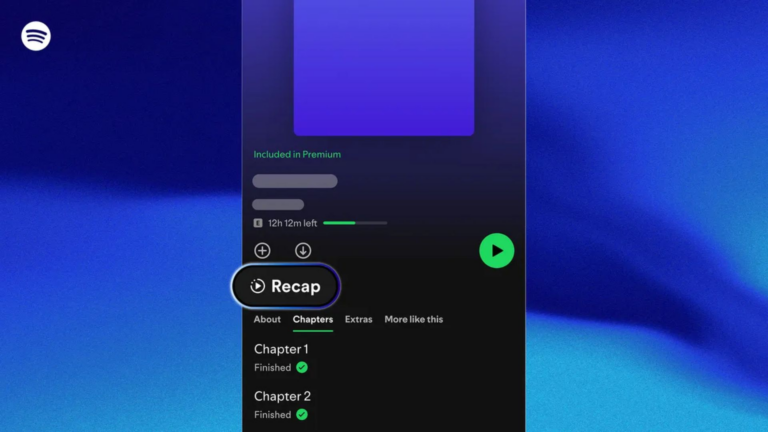
Here’s how to enable Spotify’s new Lossless feature.
If you’re getting ready for Spotify Lossless or want to take full advantage of Apple Music’s Hi-Res Lossless tier, it’s easy to get caught up in gear talk. Everyone online wants to sell you a DAC, but for most people building a desktop setup, that’s not the smartest move. A DAC can be perfectly good for playback, but it’s still limited to a single function.
An audio interface, on the other hand, gives you everything you actually need. You get clean digital-to-analog conversion, a dedicated headphone amp, balanced outputs for real monitors, and the option to plug in a mic or instrument if you ever want to. Whether it’s a Scarlett Solo, a 2i2, or something like my own Scarlett 4i4, an interface becomes the control center of your desk.
You don’t need to be an audio engineer to appreciate what that means. It’s simpler, more flexible, and far more future-proof than buying a DAC just for playback. If you’re investing in better sound at home, skip the one-trick pony and get something that can grow with you.
Thank you for being part of our community. Read our Comment Policy before posting.
source
Note: All product names, brands, and references in this post belong to their respective owners.
For more audio gear reviews, wearable tech news, and UAE-focused buying guides, visit blog.thikra.co.
To shop earbuds, headphones, speakers, and smartwatches, explore Thikra Store at thikra.co.










Leave a Comment